Sector(s)
Team Members
Project Team
The Team that worked on the Children's Hospital of Los Angeles project has included 6 Achieve Internet Drupal engineers, 4 of which are Acquia Certified Grand Masters.
Overview
For 114 years, Children’s Hospital of Los Angeles has pioneered and led dramatic changes in healthcare. As an award-winning hospital, CHLA provides pediatric healthcare to more than 107,000 patients each year in a facility specifically designed for kids. Their hard work and passion has earned them a plethora of accolades, including being ranked as the top hospital for children in California. Their team of researchers works tirelessly to develop leading-edge treatments and procedures to battle acute and chronic childhood illnesses. It’s evident at every level that CHLA is making a huge impact in the health community and truly building healthier futures for our kids.
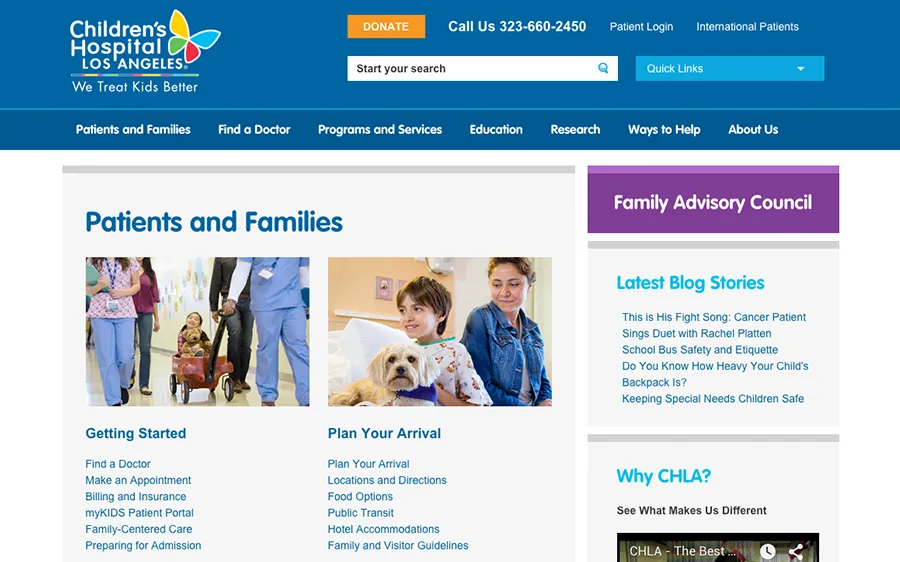
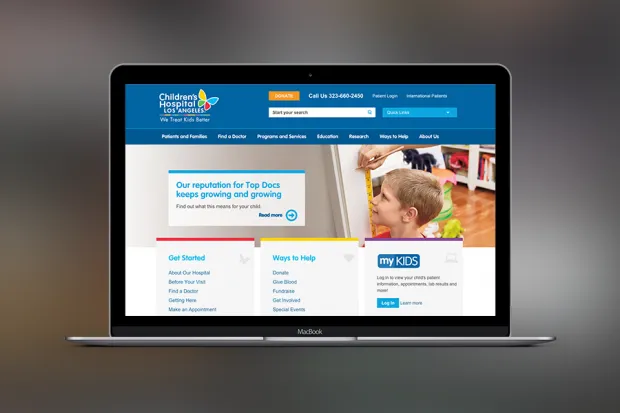
The hospital’s leadership is even more critical in today’s digital age as more families access health resources through mobile devices. Not only is CHLA leading the way in the science and practice of healthcare for children, the hospital is at the forefront of digital strategy as well. The new CHLA interactive and responsive website is a great example.
On average each month, more than 160,000 visitors go to CHLA.org to find a doctor, research new programs and services, stay updated on medical discoveries that support children’s health, and find inspiring stories about patient families who want to share their CHLA experience.
As work happens quickly at CHLA–it’s crucial that the hospital’s communications team has the tools to make changes on their website.
About the project
When the communications team at CHLA compared their evolving digital strategies with the web solutions at hand, it was clear that they needed more flexibility and a platform that supported responsive design in a flexible and scalable way. The previous website was not responsive and a separate mobile site left parents’ user experience with room for improvement. The team needed an agile solution that could keep up with their organization, and help them scale their digital presence and content marketing efforts.
Prior to the launch of the new site, CHLA was using a proprietary content management system (CMS) that lacked the features, functionality and versatility that their team needed, items such as:
● The ability to make layout changes without involving their IT Department
● Integration of social content to support content marketing efforts
● Easy content differentiation to allow for a richer user experience
● Control of their search engine optimization efforts
● Simple, user-friendly URLs
● Flexibility to expand or enhance physician bios
Solution One: A CMS With More Control
After evaluating several options, at all levels of price and function, the Drupal Open Source Framework was the clear choice for the foundation of the new CHLA website. The Drupal CMS solved the problems CHLA was experiencing in two parts:
Drupal gave the CHLA team much needed control over their website content, a publishing workflow to support a multifaceted and complex organization, a modern feature set that reflected the current state of user expectations on the web and the knowledge that, moving forward an entire community of users is keeping the platform current—as opposed to waiting for developers of a proprietary system to prioritize CHLA’s needs in a future upgrade.
With a minimal amount of training, the CHLA communications team could effortlessly manage the day-to-day operations of, not only updating content on their site, but also implementing in-page templates to scale complex content into a single unified stream for mobile users.
Most important, CHLA had more than 14,000 unique pieces of content. With this transition, it was imperative that this valuable content not drop off the web. All of this content was migrated, enabling the CHLA team to operate with more flexibility and speed to edit information and improve information architecture to access the content. This also gave the team an opportunity to optimize their titles and tags, which immediately improved SEO throughout the site.
Solution Two: A Modern Website
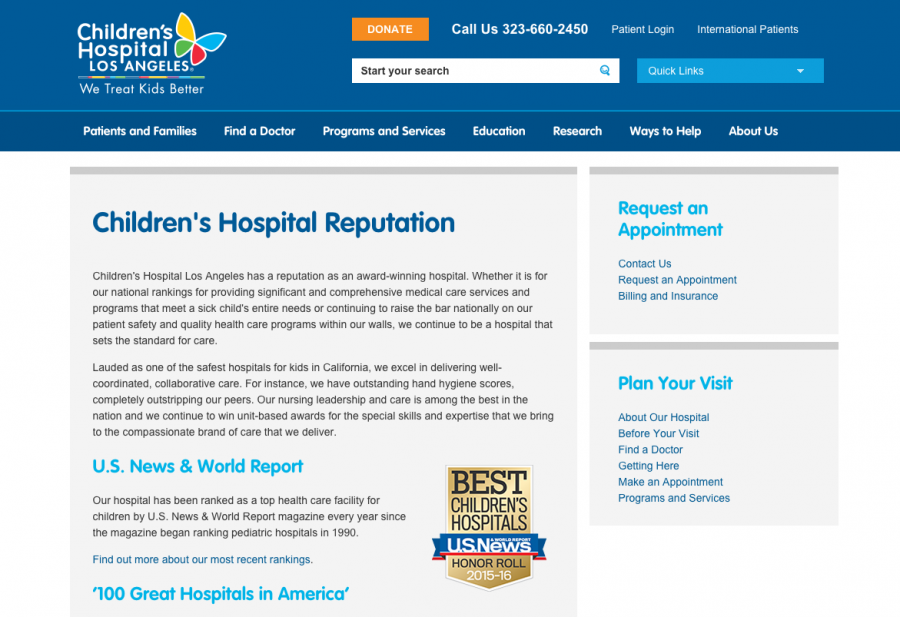
It was important for CHLA to work with an experienced Drupal development firm who had worked on projects in multiple industries—not simply the healthcare industry. They were looking for an innovative and modern, parent-friendly alternative to the industry norm of sterile healthcare websites. The benefits have been numerous:
• The new responsive web design delivers an exceptional user experience for site visitors looking for information on tablets and mobile devices.
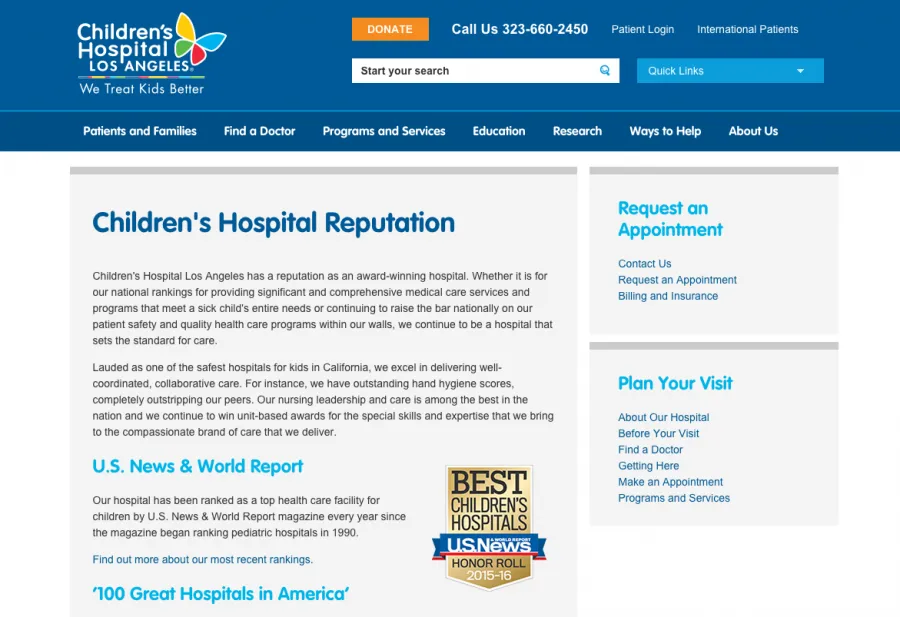
• An API integration permits CHLA to leverage their database of physician profiles to simplify updates and make the profiles easier to search, read and reflective of the new modern look and feel.
• Varied page types are now easy to implement on the fly and fuel rich and relevant content for users.
• Search engine optimization is now a built-in function of the site structure and title tagging system—something that will only help as the site moves forward.
Final Diagnosis: A Great Success
The new Drupal-based website has empowered the CHLA team to continue the race towards their digital goals. The new tools allow their team to update their website quickly and efficiently. All of the content has been optimized for SEO with their Drupal CMS. The new CHLA site is modern, responsive, and easy to navigate for researchers, supporters, healthcare professionals, media outlets and, most importantly, families.
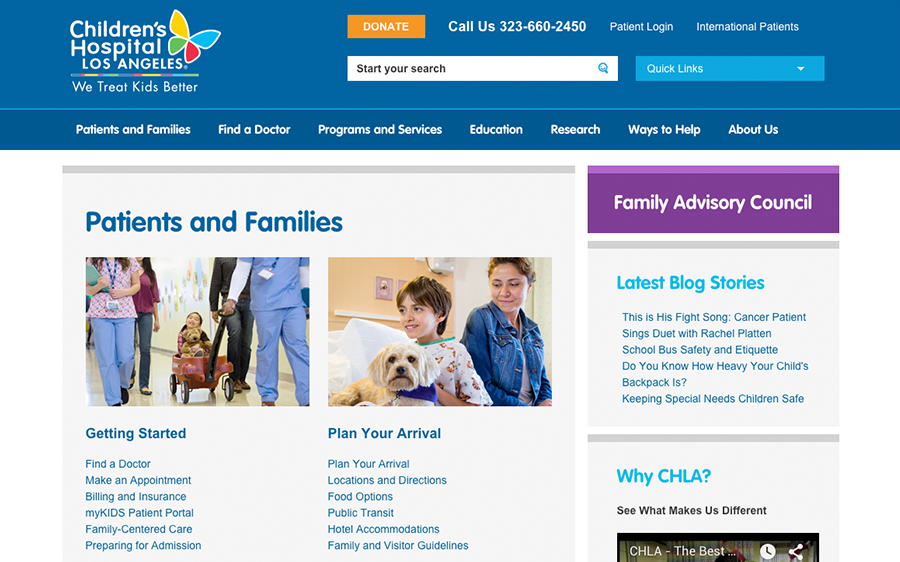
From the incredible doctors to the hardworking communications team, each role at CHLA has an impact. With the tools to deploy valuable resources to their site visitors, the new Children’s Hospital of Los Angeles website and CMS reflects the superb attributes of California’s best children’s hospital.
Why Drupal was chosen
The Drupal Open Source Framework was the clear choice for the secure foundation of the new CHLA website because of it's flexibility. The Drupal CMS solved the SEO problems CHLA was facing and gave their team the absolute flexibility to edit page layouts and content.
Technical Specifications
Drupal version:
Key modules/theme/distribution used:
Omega is our default base theme. We have built tools around deploying Omega-based theme and love the drush integration for quickly spinning up a new subthemes. We use omega for most of our projects unless we have a specific client request or need to use something else.
We chose Scald: Media Management made easy because we love the feature set. We compared the operation of both the Media module and Scald side-by-side and preferred the User Experience that Scald provides. We like how quickly and easily we can find and embed content in a consistent manner and have started deploying Scald on all of our latest projects.
CHLA wanted the ability to control the look and feel of page layouts. Panels Everywhere gave them the flexibility to start with a default layout for any piece of content – for a consistent look and feel – but the ability to empower an editor to modify and restructure the content for any page on the site for a custom look when needed.
We were able to write migration scripts with Migrate that allowed us to transition all content from CHLA’s legacy system to the new Drupal environment. Migrate makes it easy for us to define where we pull content from and where it's supposed to end up within the new Drupal environment, so it’s a staple for us on any project that involves migration.
CHLA’s migration wasn’t perfectly straightforward: much of the content couldn’t be easily categorized as any particular type of content on the new site. When this was the case, we migrated content as basic pages within the new environment. We used Node Convert as a way to allow CHLA to transition content once it was migrated. This made it easy for us to get content across while still allowing content to be appropriately categorized for long term maintainability.
Superfish gave us responsive menus that format and look great on mobile devices. Superfish is another staple for us for the simplicity and power to create mobile menus that work for almost any client request.
Quick Tabs, Quick Tabs Panels Integration, Panels Tabs, Field Collection Tab formatter and some custom development allowed us to create dynamic lists that could display in multiple formats. We used this to create accordion panes of content that fit into the responsive nature of the site and can be positioned throughout the page.