Visit the site
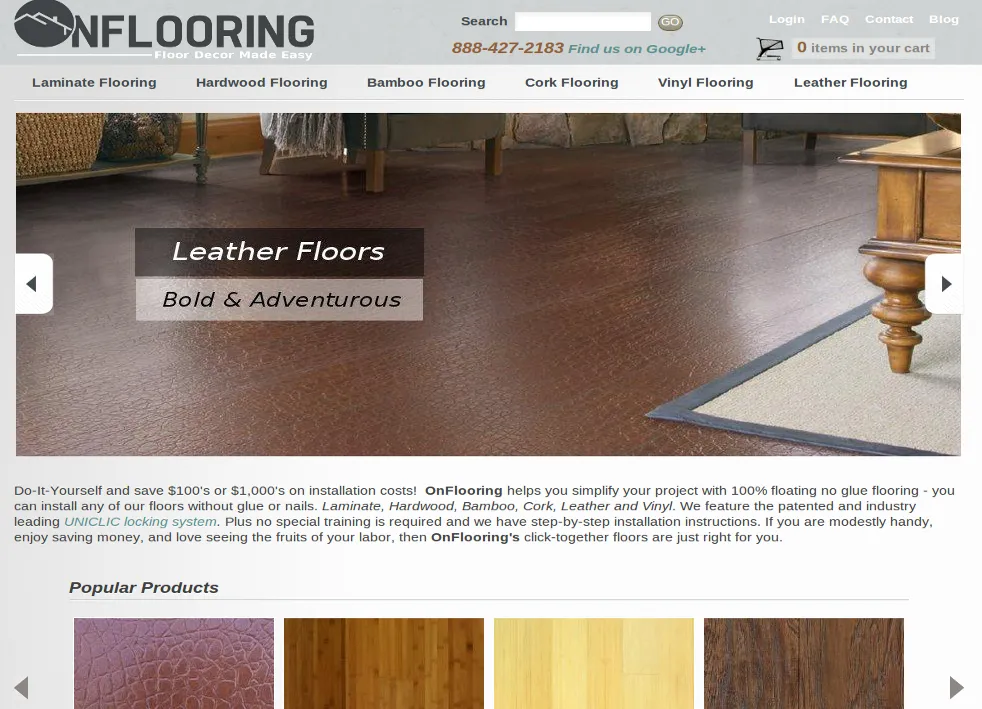
Visit the siteOnFlooring Inc sells interlocking flooring products from materials that include hardwood, laminate, bamboo, cork, vinyl and leather. These floating floors are ideal for do-it-yourself projects since they require no glue, nails or special training to install.
To enhance the DIY shopping experience, OnFlooring's Learning Center includes videos, installation instructions and original commentary.
About the project
The goal is to provide a simple and straightforward method for the customer to generate a comprehensive project quote. This is a challenge with this type of product because of relationships between parent and child items.
Furthermore, it is customary to price the flooring by square foot, but the items themselves are sold in cartons.
We used the Entity reference module to associate subordinate products with parent products, and the Product Class module to create and manage multiple products with values inherited from a parent class.
To handle complex orders of multiple related products while also performing quantity conversions we created a custom calculator on the cart page. The AccuQuote Calculator converts square footage to carton size and populates the cart with the appropriate quantity of the parent item and all the necessary child products. Changes to quantity and price are automatically updated via Ajax.
Why Drupal was chosen
I've been using Drupal since version 5 and have always been impressed with its useability and extensibility. It's the perfect platform for developers who need to make extensive customizations, as features are easily integrated into the Drupal architecture. A site like OnFlooring.com, with its unconventional cart workflow, would be very difficult to achieve on any other platform. OnFlooring.com runs on Drupal 7.
Why Ubercart was chosen:
I've been building carts with Ubercart for about as long as I've been building sites in Drupal, and I find it a reliable and effective solution.
Technical Specifications
Key modules/theme/distribution used:
Key contributed modules:
Ubercart and Ubercart related modules
Most of the modules provided in the Ubercart suite were used for this project including but not limited to Product Kit, Cart Links, Product Attributes, Roles, Shipping, Taxes, Payment and Fulfillment.
Entity reference
Entity reference provides a useful method for associating entities with pieces of content. This is helpful for customizations where different nodes need to be tagged as as being related to one another. The beauty of this is that CRUD functions are handled totally by Drupal core, and any dynamic changes can be applied to the entity object and saved without difficulty (see 'Subordinate products' under 'Notable customizations').
Views
An essential component of any Drupal site, especially since Views' implementation of sophisticated contextual filters and relationships. Many pages that would've previously required a custom module can be accomplished easily by creating a view, which is an appreciable time saver.
Colorbox
Colorbox is my "lightbox" of choice. It's lightweight and easy to implement, and the display plugins that come with the Drupal module are extremely helpful for displaying images.
Voting API and Fivestar
The number of effective rating solutions for Drupal is surprisingly low. For the most part, though, I was able to implement a reviews system by using Fivestar and the Voting API.
Ubercart Discounts (Alternative)
While there isn't an official Drupal 7 release for this module, I was able to implement a port of this module successfully on the site. The more stable module, Ubercart Discount Coupons, couldn't be used because discounts had to be applied without requiring the user to enter a coupon code. Several hacks were made to the module in order to allow other modules an easier time hooking into the discounting process (see 'Discounts by Location below').
Notable customizations
Discounts by Location
One site requirement was to allow discounts to be applied by location. As such, the Ubercart Discounts form was modified to include locations fields allowing administrators to include a list of zip codes wherein this discount could be applied. The custom module uses either a zip code saved in a session, using a field on the product pages or the delivery address zip code, if it exists.
Custom Shipping Quotes
OnFlooring.com provides the following shipping options:
- Paid freight shipping using either Roadrunner Transportation (RRTS) or Old Dominion Freight Line (ODFL).
- Free pickup from a warehouse location.
For either option, the Shipping Quote module needed to know which warehouses were closest to the customer and whether or not they had the required product or products in stock. The solution was to add warehouse names and addresses as content, and then associate them with products by using the Entity reference module. Using geolocation, the shipping quote module was then able to determine which warehouses associated with a cart were closest to the customer's delivery address. Now, when a customer checks out, they are supplied with various warehouse locations where they can pick up their order for free.
If a customer prefers freight shipping, however, the shipping quote module also passes the warehouse addresses to the ODFL and RRTS web services. The module then analyzes the returned data, and provides the customer with the cheapest shipping price, based on the two options.
Cart Calculator
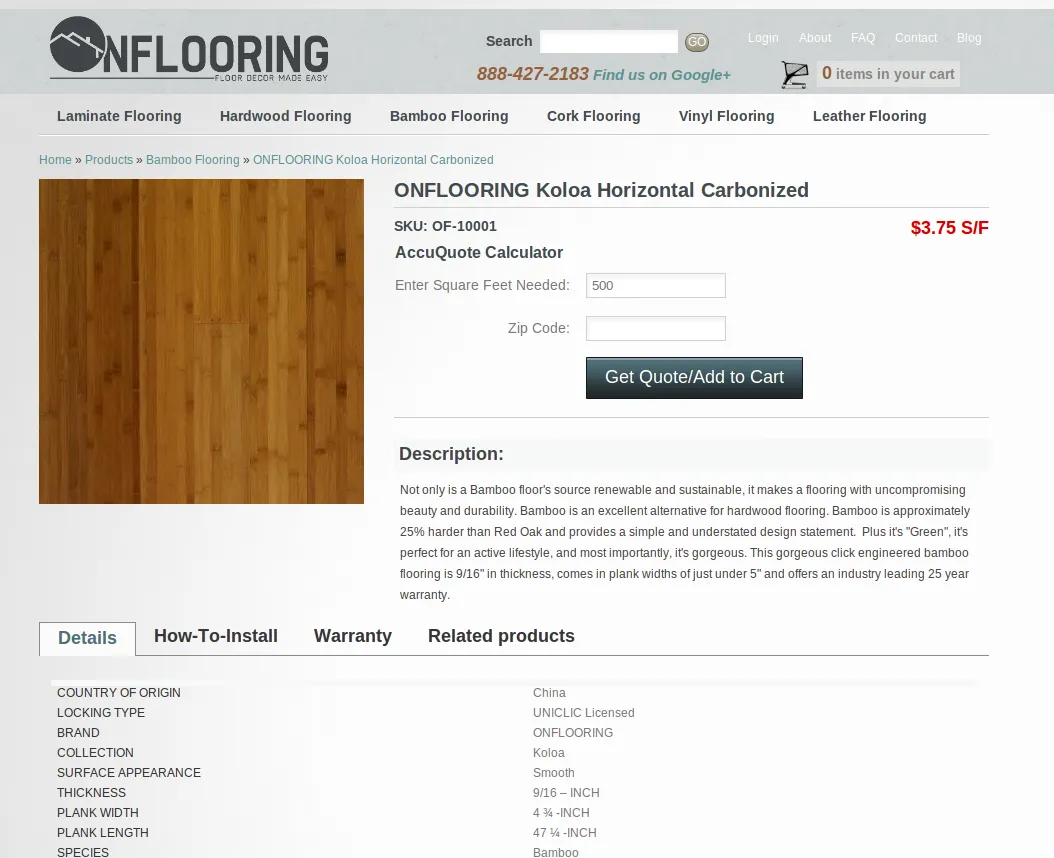
The AccuQuote Calculator provides an intuitive method to "add to cart" by square foot.
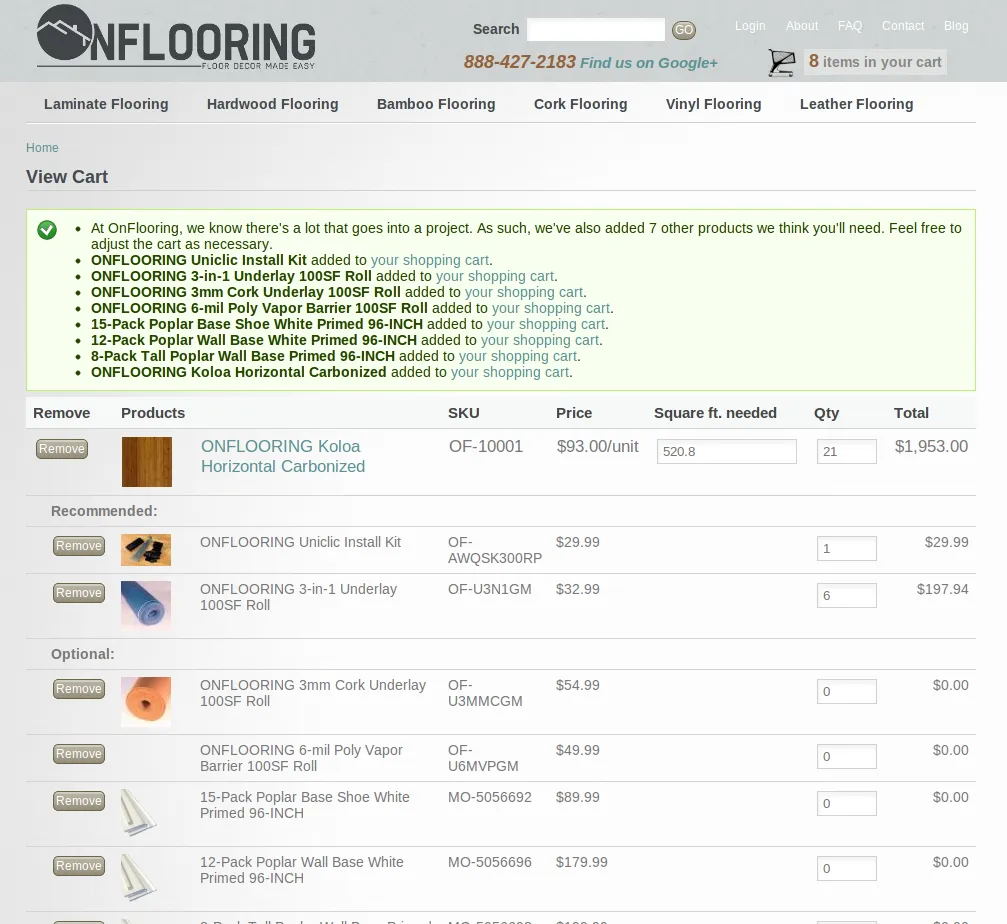
On the product page, instead of a quantity field, the user is asked to enter how many square feet they will need (see the first screenshot below, "AccuQuote Pre-Cart"). The system then converts this to a product quantity by rounding up the value to the number of cartons the product is shipped in. On the cart page, the customer can adjust the number of square feet they need, or the number of cartons, directly by using an Ajax calculator (see the second screenshot below, "AccuQuote Cart Output").
Subordinate Products
One unique feature of OnFlooring.com is the ability to add all the necessary products for a flooring project into the cart automatically.
Subordinate Products - Admin Area
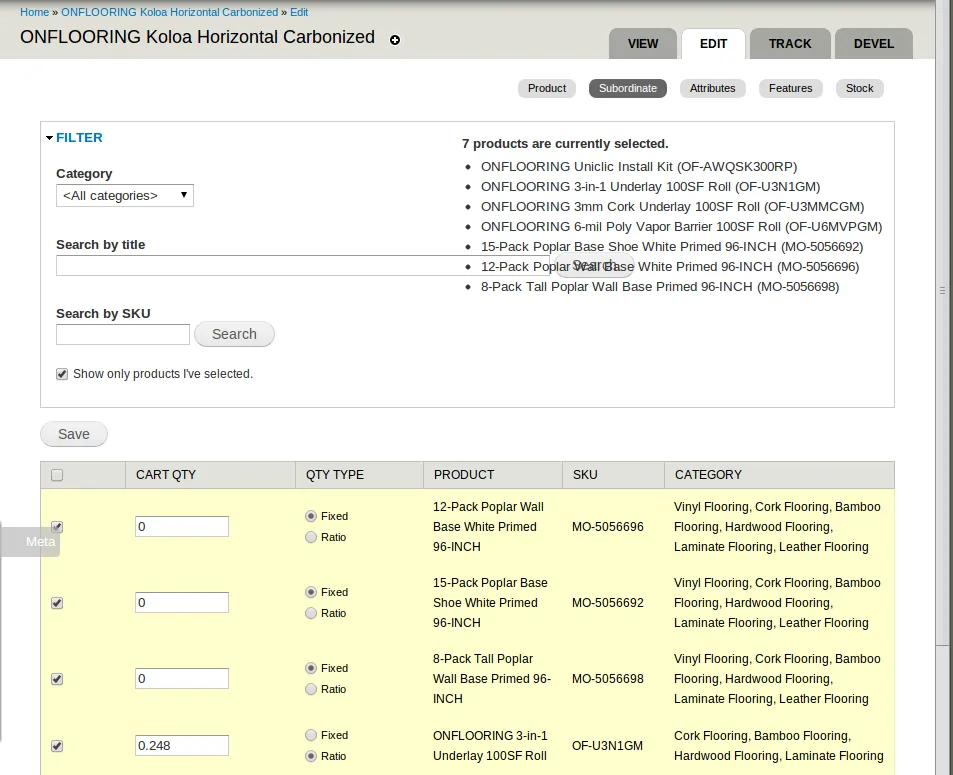
In the case of OnFlooring, there was the possibility of hundreds of subordinate products; meaning a simple select field would not do. The solution was to create a separate tab on the product edit page that provided a table of selectable subordinate products, with an option to filter by category, SKU and title. (see the final screenshot below, "Parent and Subordinate Admin Page").
Subordinate Products - Add to Cart
When a product is added to the cart, the Subordinate Products module automatically adds related products it determines are relevant. Some products are optional, and as such are added with a quantity of zero. This fairly simple scenario required extensive customization, since a cart item is not usually expected to have a quantity of zero, unless it's being removed.
Subordinate Products - Calculator
A subordinate product's quantity in the calculator is based on the quantity of its parent products. This creates some complexity, since it means quantities are both adjusted by the required dimensions and by the quantities of related items.
Certain subordinates simply have a fixed amount, meaning their quantity is not affected by the quantity of its parent; while others are based on a ratio entered in the subordinate edit tab.
Parent Classes
Because there are hundreds of products at OnFlooring.com, product administration required special attention. Luckily, many products contain the same information. As such we were able to customize a system that generated child products based on the value of a parent product class. This was accomplished by creating a "Parent Class" content type, containing the same fields as regular products. However, items created using this content type can be selected in a custom form to generate up to 50 child products at one time.
Additionally, when a parent class is updated, the system searches through all its children and determines if any of their fields have been updated. The system then updates any unchanged fields with the new values entered for the parent class.