Sector(s)
Project Team
Jon Anthony https://www.drupal.org/u/jonanthony
Sagar Ramgade https://www.drupal.org/u/sagar-ramgade
Prabhjot Singh https://www.drupal.org/u/thesingh_prabh
Shriniwas Yesare https://www.drupal.org/u/shreeyesare
Safi Mohammed https://www.drupal.org/u/safiakthar
Prakash Rajavel https://www.drupal.org/u/prakashrajavel
Veronica Marcano https://www.drupal.org/u/marcano
Sridar Madurai https://www.drupal.org/u/sridarm
Mohan Kumar https://www.drupal.org/u/mohankumarr
Senthil Kumar Bhaskaran https://www.drupal.org/u/senthiljruby
Mathan Kumar https://www.drupal.org/u/mathan_adappt
Sankaranand Balaradjou https://www.drupal.org/u/sankaranand
About the Knowledge Sharing Platform
The Knowledge Sharing Platform is designed to share information between individuals and organisations in a controlled and secure manner. Initially with migrated content and updates, the platform inherited over 10,000 items and over time this figure will expand to millions of items, including content, discussions, images and files. The platform needs to ensure a fast, simple, easy to use way to access and contribute content.
About the project
The goal of the project was to provide a intuitive to use knowledge sharing platform that enabled real-time communication with ease. Here are the core components:
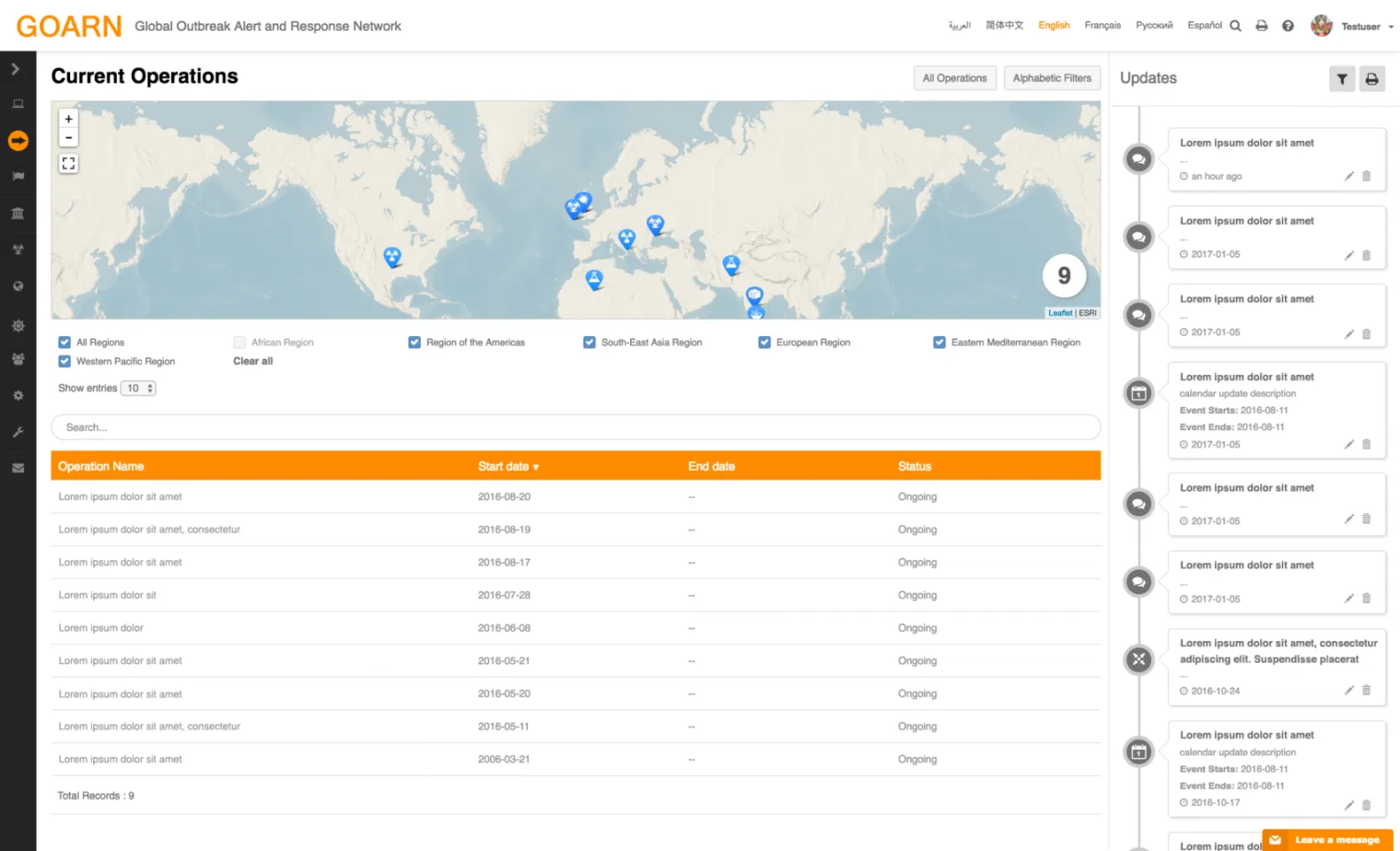
- Custom layered Mapping
- Calendars and Events
- Operation lifecycle with timelines
- Real time discussions
- Broadcast communications with encrypted trackable application links
- Live integration with topical third party feeds
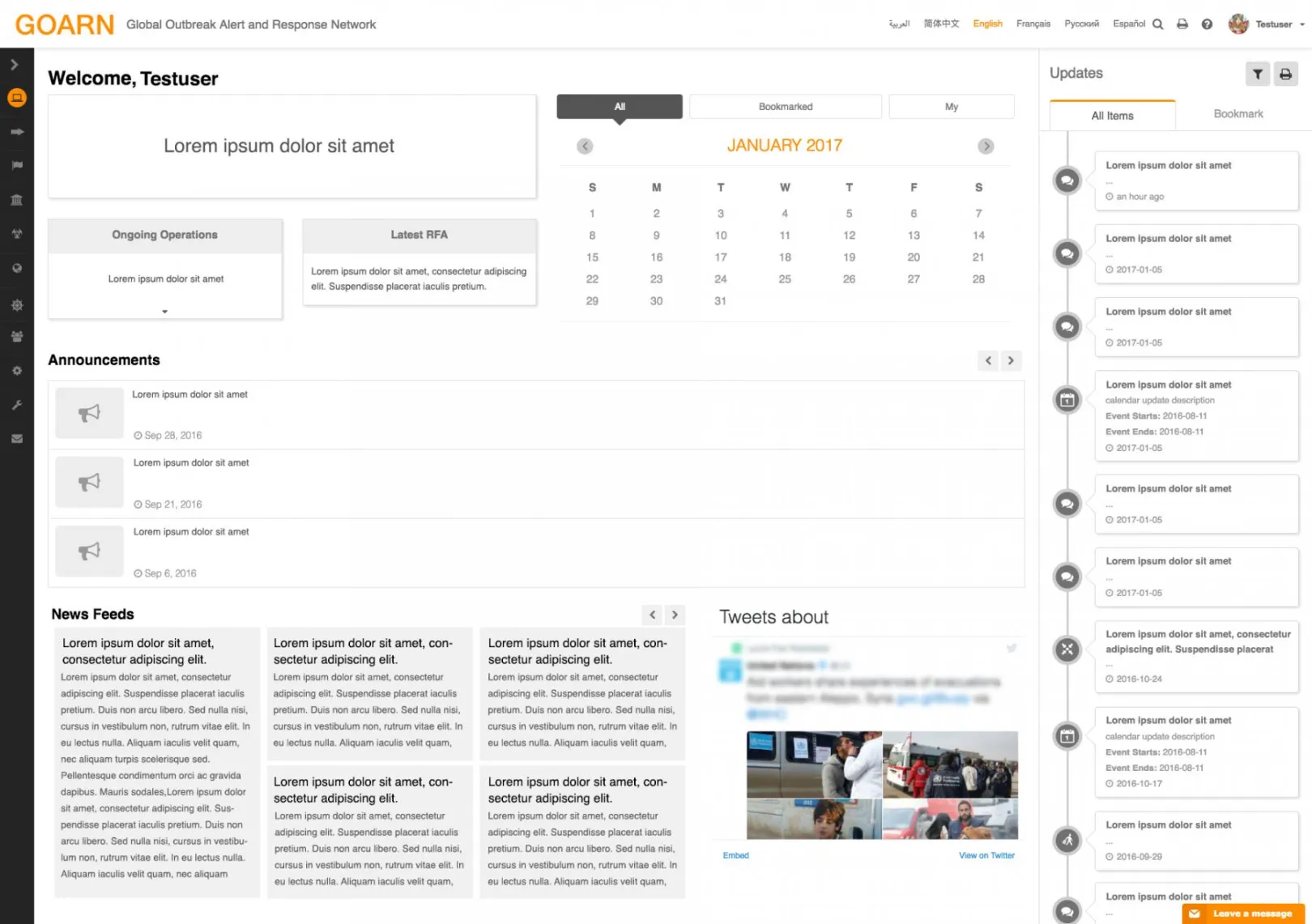
- Real time timelines
- Dynamic Infographics
- Faceted Solr integration
- Creation of Private Groups
- Migrate over ten thousand pages from previous sharepoint
Project Requirements
Performant
Responsive while retaining the flexibility of the CMS, including the ability for administrators to create reporting views from available fields and for administrators to customise content types as needed in the future.
Simplicity
Simple intuitive and easy to use interface with timelines similar to modern social media, whilst integrating all of the above complex functionalities.
Project Overview
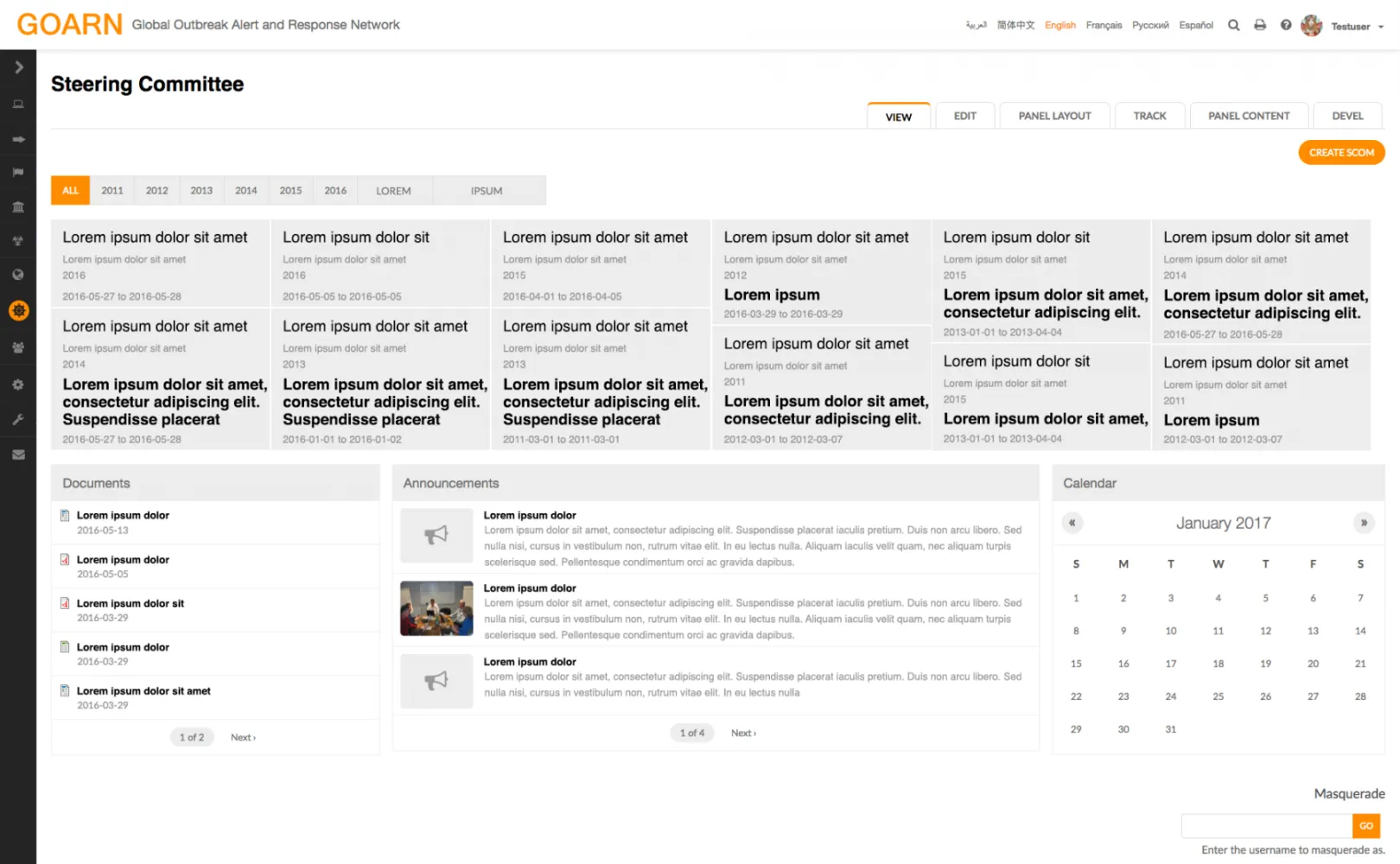
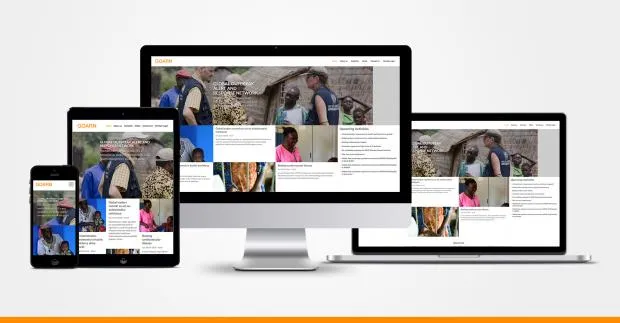
The Global Outbreak Alert and Response Network (GOARN) comprises of over 200 technical institutions and networks globally that respond to acute public health events with the deployment of staff and resources to affected countries. Coordinated by an Operational Support Team based at the headquarters in Geneva and governed by a Steering committee, it aims to deliver rapid and effective support to prevent and control infectious diseases outbreaks and public health emergencies when requested.
The GOARN operational support team previously ran a platform based on Sharepoint with over ten thousand key pages, and after a period of consultation the decision was taken to move to a new platform with the aim of
- Increasing network engagement
- Decentralising contributions
- Enabling real time collaboration
- A timeline based approach to update visualization
- Dynamic infographics
- Sharing knowledge and allowing knowledge to be easily searchable
- Invoking complex permissioning
- Custom mapping integration
Drupal Advantages
- Revision control
- Organic groups permissioning
- Apache solr search capabilities
- Flexibility, Adaptability & Scalability
- Open source and License free
- Community support and Security
- Multilingual
Drupal’s Challenges
- Bootstrapped time to load page vs an SPA (single page application)
- Tight integration of private file system with contributed modules
- Caching capabilities for authenticated users
- Page bloat when using default views, meaning pages with multiple long vertical scroll based lists can become large and costly to reload
Based on previous experience the GOARN operational support team were keen to experience the benefits of using an SPA framework such as Angular or Ember. This project required a considerable amount of data binding which made Angular a logical choice.
Having chosen Angular as the frontend framework we had several decisions and choices to make
- Embedding Angular OR using a headless approach
- Combatting Angular page and state navigation fighting drupal’s URL rewriting
- Making the whole site an SPA compared to keeping admin pages, views and edit pages in default Drupal
- Maintaining the flexibility of drupal field manager and display suite for controlling field layout and block displays
The team decided to create customs services and have the user facing parts of the site run as a “Headless App” with Drupal passing html templates from Display Suite as needed, to maintain the power and flexibility of Drupal whilst gaining the speed and beauty of Angular. Admin pages, edit pages, certain reports and private group pages were kept in default Drupal.
The code base was fairly large with a team of ten developers working on it for over a year. That said, the Angular driven pages typically responded in milliseconds with full page load comfortably under a second vs Drupal admin page load time of around three seconds. In terms of the impact of the site - this is a closed platform and only available to the network.
Why Drupal was chosen
- Adaptable, flexible, extendable: Drupal is suited to environments where there are evolving requirements. Flexible and extendable user interfaces were other strong points that helped Drupal stand out as the prefered CMS.
- Agile: A key feature of the model was efficient release cycles. Drupal’s modular architecture, extensible APIs and automated testing support an iterative development approach.
- Open source: Open Source and Open Standards removes restrictions of licenses associated with proprietary software, meaning the platform could be re-used within the organization if desired. Being Open Source also brought access to many thousands of useful Drupal community contributed modules, such as Search API by Drunken Monkey.
- Performance: A core criticism of Drupal within the organization in the past has been speed. Extensive permissioning combined with complex revision control and multilingual interface has often created a slower than desirable bootstrap. Introducing a comprehensive databound frontend framework (Angular JS), dramatically reduced the frequency to bootstrap and created a highly performant experience.
- Integration points: With extensive integrations, Drupal’s ability to interface with external systems via a multitude of protocols made it an ideal choice.
- Community: The Drupal community comprises over 1,000,000 developers all of whom contribute to making the platform one of the most secure and stable platforms in the global SAAS space.
Technical Specifications
Drupal version:
- Addressfield - The module gave us a new field type to input addresses and also tight integration with geocoder module to find latitude and longitude of an address.
- Bootstrap - Bootstrap being the widely used responsive framework, we created a sub theme based on the Bootstrap base theme.
- Calendar - The calendar module is used to show user’s bookmarked content and all content in the calendars in blocks and calendar pages.
- Ckeditor - The Ckeditor module along with Ckeditor library allows content editors to format the content using Ckeditor buttons.
- Countries - This module allowed editing of country information which comes from the address field module.
- Devel - This was obvious choice to dsm arrays and objects during the development phase. Also Devel node access was of big help to test node permissions.
- Draggable views - We chose this instead of the book module as this is more flexible in terms of arranging nodes in a hierarchical order.
- Entityform - This is more flexible option to create forms as they are entity based, fieldable and with good integration with the views module. The development of forms using custom logic benefitted from starting with Entityform.
- Facetsapi - We enabled facets on the search results page powered by Apache solr.
- Features - Allowed us incremental deployments and allowed us to put content types, taxonomies, feed importers , views and many more configurations in source control. This was essential in coordinating the team build.
- Feeds - We migrated content from the Sharepoint site by first exporting the data using an MS ACCESS bridge and then to CSV files. The CSV files were then fed to the feed importers to update data in Drupal.
- Feeds tamper - The content from the source needed massaging before it could be saved to the Drupal entities, we also create a lot custom plugins for mapping entities, date format conversions and importing files from directories to the private filesystem.
- Flags - The application had subscriptions and bookmarks features, so the Flags module allowed us to create different types of flags. We created several views to show the subscribed and bookmarked content for the users and site admins.
- Fields Collection - We used field collections extensively for real time conversations powered by the Angular framework. The conversations were save in field collections entities, an alternate approach would have been to use comments, however taking into consideration SOLR and permissioning, this route served us very well.
- Geocoder - This was helpful to find the lat and long details for the entered addresses. The lat and long details were then used in the Angular pages to show LeafletJS powered maps.
- Masonary views - provides the masonary grid layout integration with views. We created listing pages of entities using this module which gave a visually useful and highly functional / readable display.
- Masquerade - This module is used to masquerade as different users, which was helpful to test various scenarios for different user roles.
- Media - This module allows easy management of files whether hosted or third party. Along with file entity module it makes file entity fieldable and scalable.
- Memcached - This provides integration between memcached and Drupal which makes caching more extensive and faster than the default DB tables.
- Mimemail - This was used to extend the default mail system of Drupal to send HTML mails along with the attachments.
- Og - There were requirements for creating closed group content and have roles within those groups such as members and administrators. The module works well for creating groups, groups content and adding members to the group. The groups also provides visibility settings to make groups public or private within the context of the overall network.
- Og Invite People - This module was sponsored by adappt, which allows groups admin and members to invite new users, the one time login link which is sent to the new user, helps for a very smooth user journey.
- Pathauto - The default urls created by Drupal were not intuitive, so this module allowed us to create URL patterns as per content type and taxonomies etc.
- Search api - The core search module is not flexible enough to provide faceted search, so search api is a good choice. This also integrates with views module so that different types of search pages can be created.
- Search api solr - The Apache SOLR is popular and a blazingly fast open source enterprise search platform. This module provides integration of Apache SOLR with the Search api contributed module.
- Strongarm - As variables are stored in the database, we need a way to transfer variable values easily using the code(Features). Strongram integrates with the Features modules to put variables in source control.
- Views - The views module is very powerful for creating dynamic listing pages, tables and blocks etc.
- Views bulk operation - This module was used to create views for bulk updating field values and other properties of various content types.