Ashday has been building diverse web experiences for over 20 years now, leveraging a lot of technologies and approaches as the web has continued to evolve. We’ve been heavily using Drupal for many of our web projects for years now and we’ve never looked back from that decision to adopt it. We started with Drupal 6, moved heavy into Drupal 7, and adopted Drupal 8 as soon as the project was reasonably stable. After having our site built on Drupal 8 for a while, we realized that we could do more if we took it a step further and ran a decoupled Drupal 8 site. We were able to give our site a refresh that it needed, make it more flexible with React, and do more with Drupal 8 web services that we'd done before.
About the project
One of our goals has always been to leverage tools in the best way that suits the needs of our clients and the experience of our users. Drupal has always been a huge help in this arena, but we also don’t believe in doing everything the same way. So we might use a contributed module for one thing and a custom implementation for another. We might like Drupal’s admin experience for some use cases and not for others. In the end, we care more about our customers than loyalty to any given technology, so we try to stay open to the possibilities.
One particular arena this has come up a lot in is being able to do front-end implementations without being married to the particular architecture of the Drupal site. So for example, using the Views module for presentation has been an amazing utility for so many of our administrative experiences – lists, tables, grids, etc – but is also very opinionated and can be awkward to theme consistently with other areas of the site not managed by views. This desire to “decouple” the front-end and back-end in strategic ways to free up the creativity is a big reason why we’ve been so excited about Drupal’s API-first Initiative and the trend of decoupled or “headless” websites.
This approach is what led us ultimately to choose to start using the combination of React+Drupal for some of our new projects. You can read a little about that choice here. Essentially, we became convinced to give it a try based on growing support and trends as well as our own attraction to the React ecosystem. In order to get a feel for what real problems would need to be solved, we dived head first into the effort by immediately rebuilding the front-end of our own website as a great test case for how a decoupled Drupal site could work.
Here are a few of the main considerations we had going into the rebuild:
How will Drupal and React talk to each other?
Technologically, React is very flexible with what types of webservices it can use to get its information. We decided to use Drupal core’s REST module suite because it’s very straightforward to build your own services and it doesn’t have some of the restrictions that solutions like the JSON API module approach does. There are a lot of ways to approach this that are all valid, but REST was a good fit for us because we were already using it in other implementations and liked what it could do for us.
How do we maintain SEO momentum with this new front-end architecture?
For this aspect, we eventually landed on Next.js for our React solution simply because it’s built to make server-side rendering easier, allowing search engines to properly index content. There are other ways to handle this, such as pre-rendering pages and serving static HTML, but we wanted to experiment with a solution that could also work well on a very large, often updated, and dynamic enterprise site with more complex caching needs, which doesn’t necessarily scale well with a pre-rendering approach. This does limit us from relying so heavily on client-side rendering, but allows us to build a relatively simple infrastructure without worrying about hurting our SEO.

How do we continue to provide intuitive administrative experiences without replacing Drupal’s UI?
Despite going decoupled, there are still a ton of very cool core features and contributed modules that remain in our toolkit for content editing and site management and we want to be careful not to lose a lot of what we like. One such example is the Paragraphs module. For a while now, we’ve been moving away from complex WYSIWYG interfaces for content and instead started providing a diverse array of paragraph options for content builders to build really interesting and dynamic pages with, while still retaining aesthetic consistency, mobile responsiveness, and ease of use. We decided our content pages in our decoupled architecture would continue to leverage paragraphs so the content editor would still has a range of display driven tools despite React being responsible for rendering. When we rebuilt Ashday.com, we even decided to further expand our use of paragraphs so editors could do even more to control the front-end without worrying about HTML markup, classes, etc. To do that, we included a base paragraph in all of our individual paragraphs that includes settings for margin, padding, row background color, parallax effect, section title, etc. Let’s take a look at how that plays out.
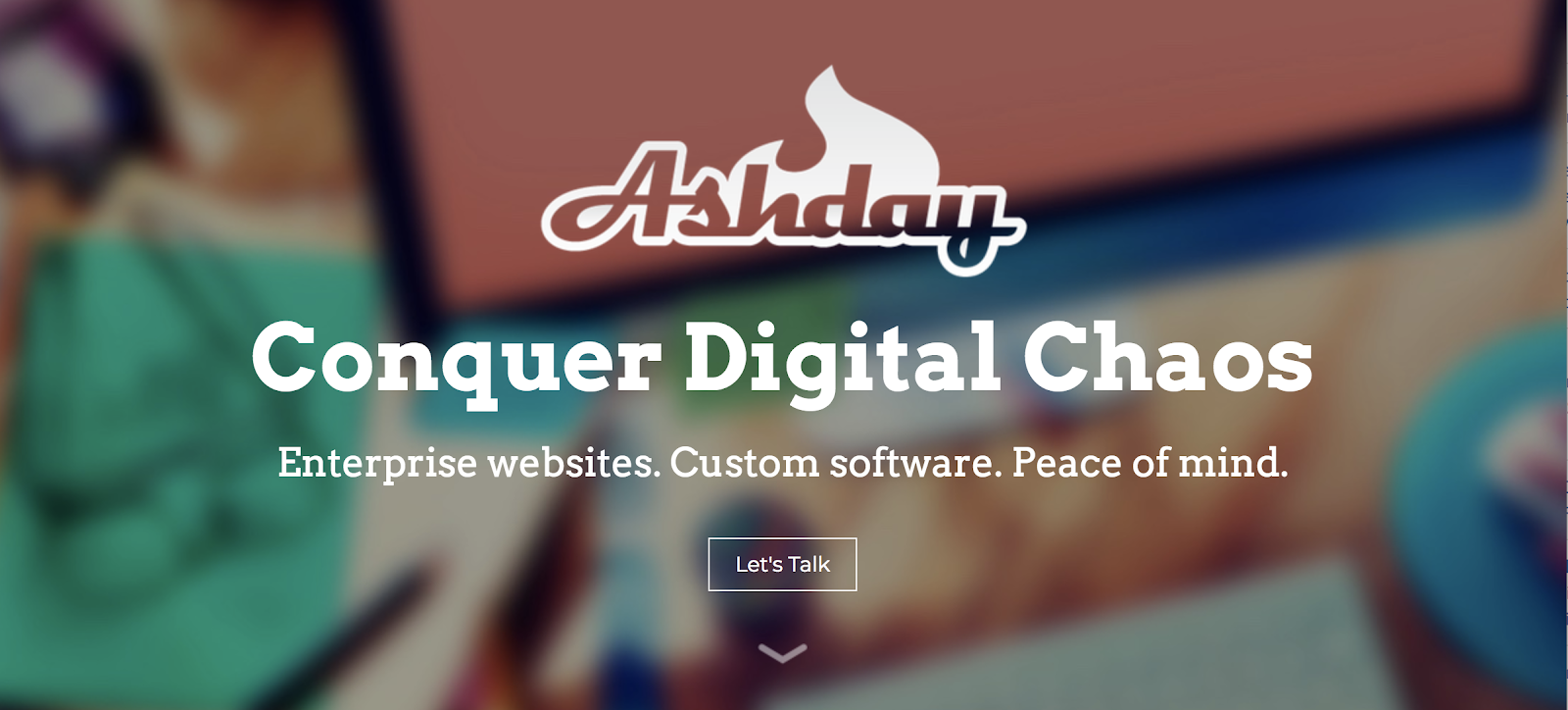
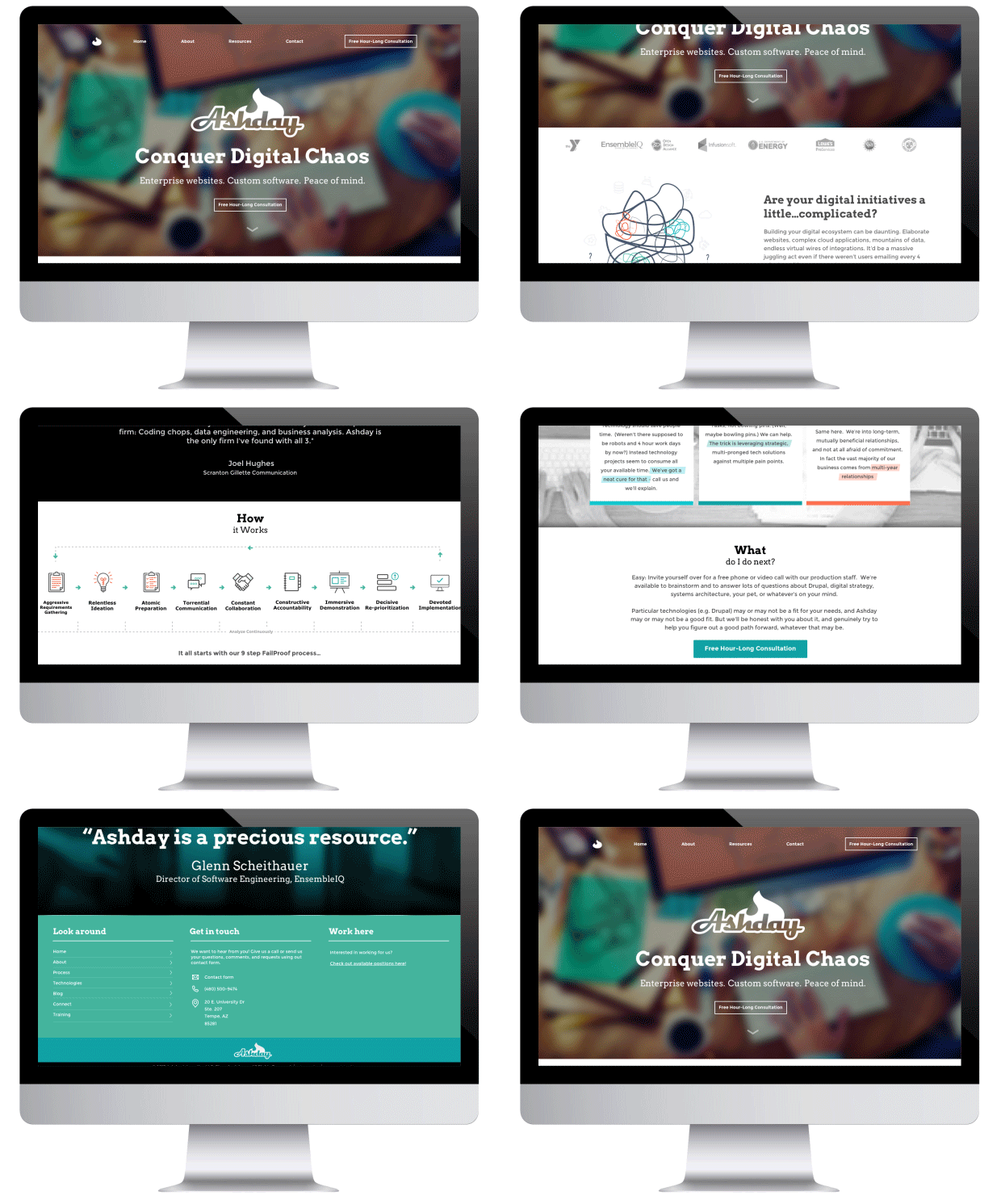
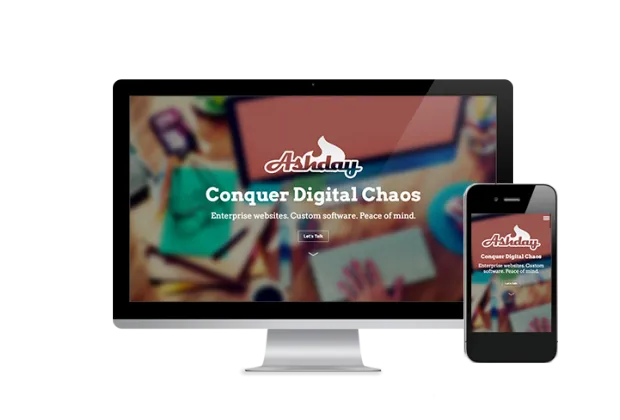
Our homepage intro pod renders in React like this:
The paragraph edit area of the node page looks like this:
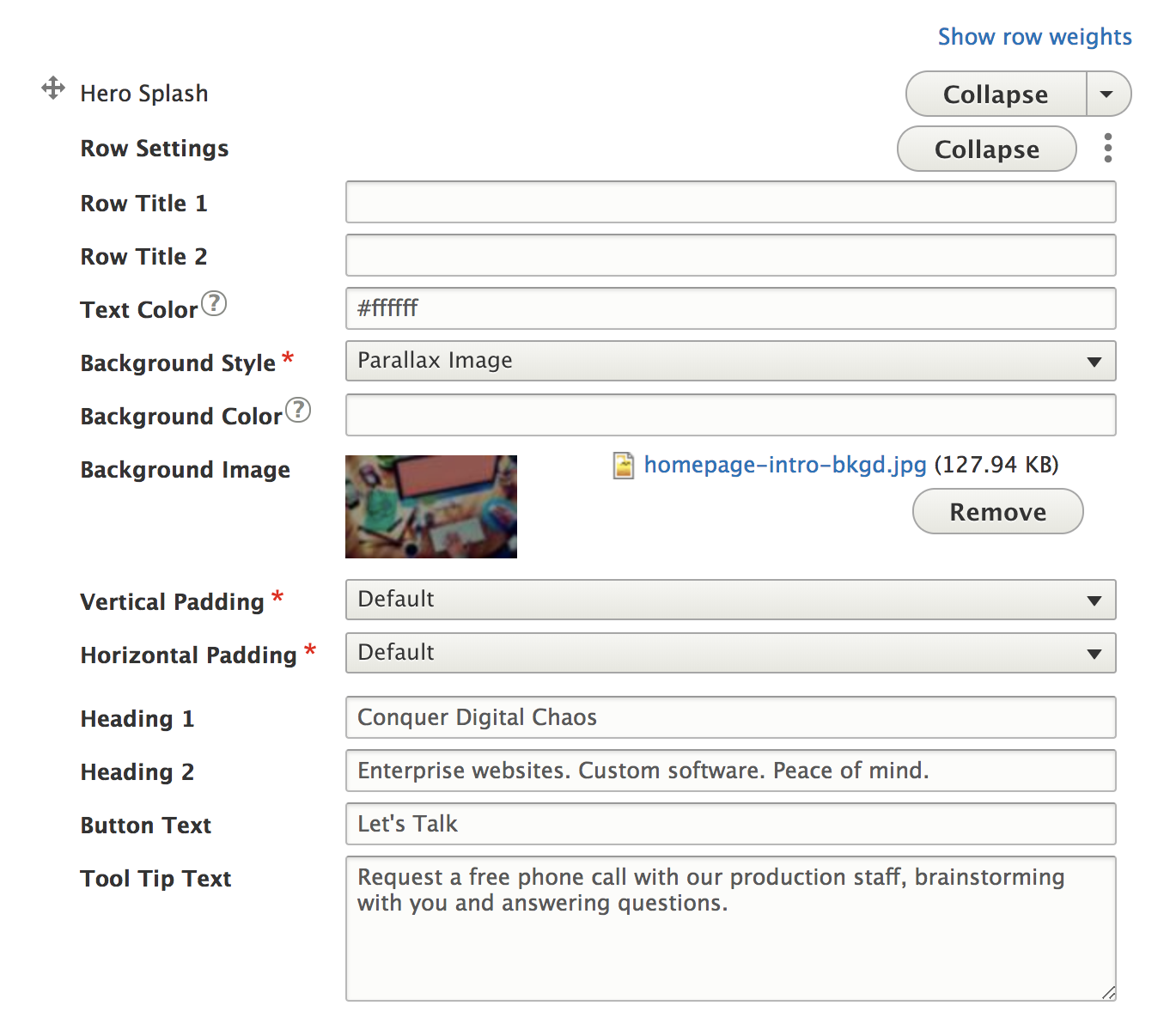
So here we have a React-rendered front-end, yet a fully configurable back-end. This gives us a lot of power because we can build awesome, reusable, consistent, and complex React components but still give editors a straightforward experience to control their content. Exciting stuff.
How do we not lose all of Drupal’s contextual content editing experience?
Drupal is very good at giving you quick contextual access to manage site content. On a node page? There’s a big edit tab right at the top. Looking at a block? There’s a contextual gear on hover that gives you access to configure that block. This is a great set of out-of-the-box features, and a React front-end isn’t going to automatically give you that (since it neither knows nor cares what your back-end is), but this also provides an opportunity to make this experience more consistent. Because in reality, it can take a bit of an adjustment for users to understand that some UI elements for managing things are found in navigational tabs, others are in hover-activated contextual gears, others are found in vertical tabs, etc. We aimed to address what we lost by using React while also leveraging React to improve the experience. Here’s where we landed.
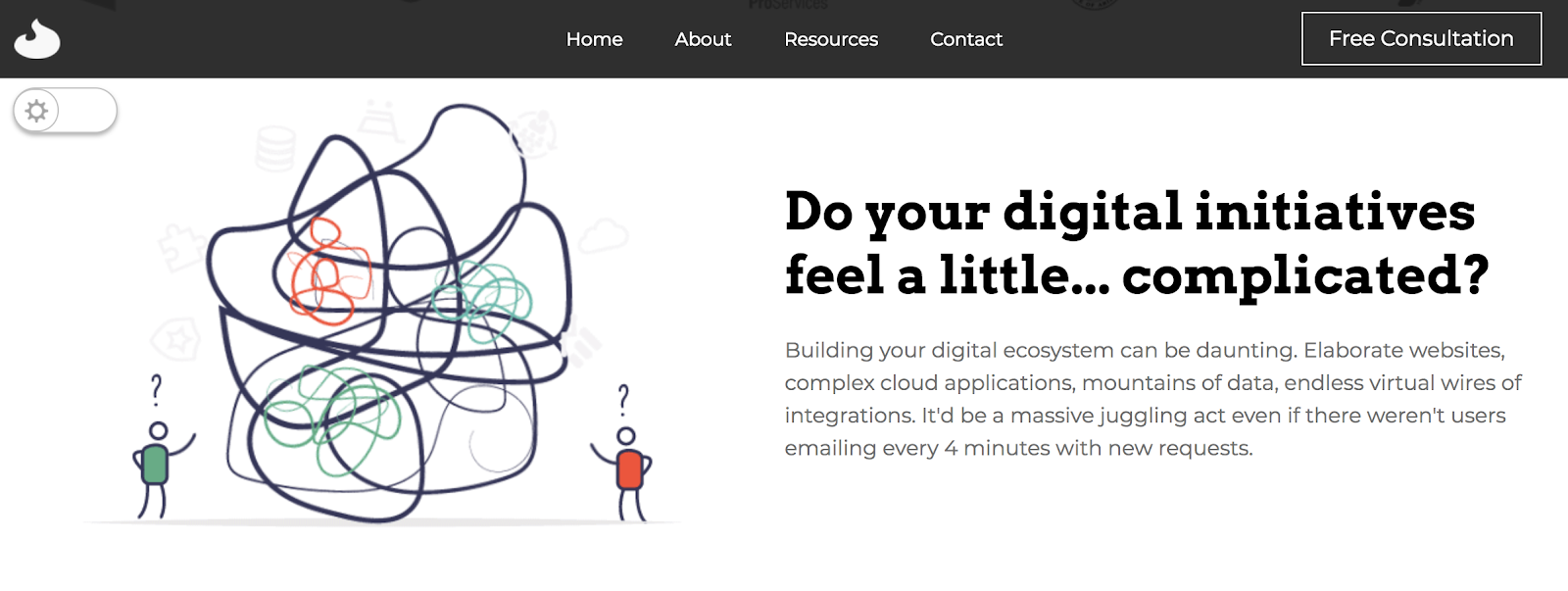
See that little slider in the upper left? Let’s see what happens when we click it.
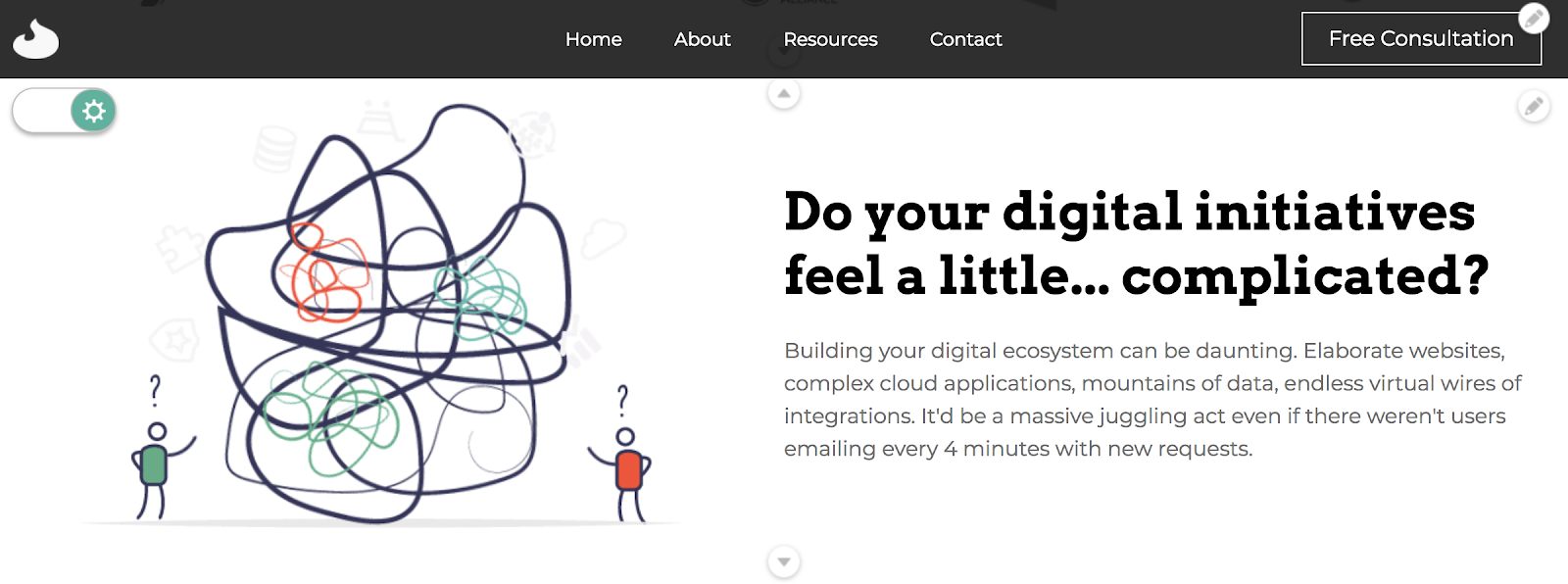
So now we’re in edit mode. There are icons for editing properties of the CTA button in the header. There is an icon for editing the paragraph now present. There are arrow icons between all paragraphs for easy sorting. And this is just a sample set. Using React, we can fully dictate how the user engages with the administrative or content editing experience because we’re in full control of the front-end.
We can’t stop there though because, well, what do these icons do? We don’t exactly want to throw out Drupal’s entire administrative experience because it includes a lot of well-built and useful tools. To solve that, we leverage a combination of React components and iframes to “peek” into Drupal’s admin without exposing the entirety of its comprehensive admin menus, breadcrumbs, contextual gears, and so on, in order to keep the experience simple.
Let’s take a look at what happens when you click the edit icon on that header button.
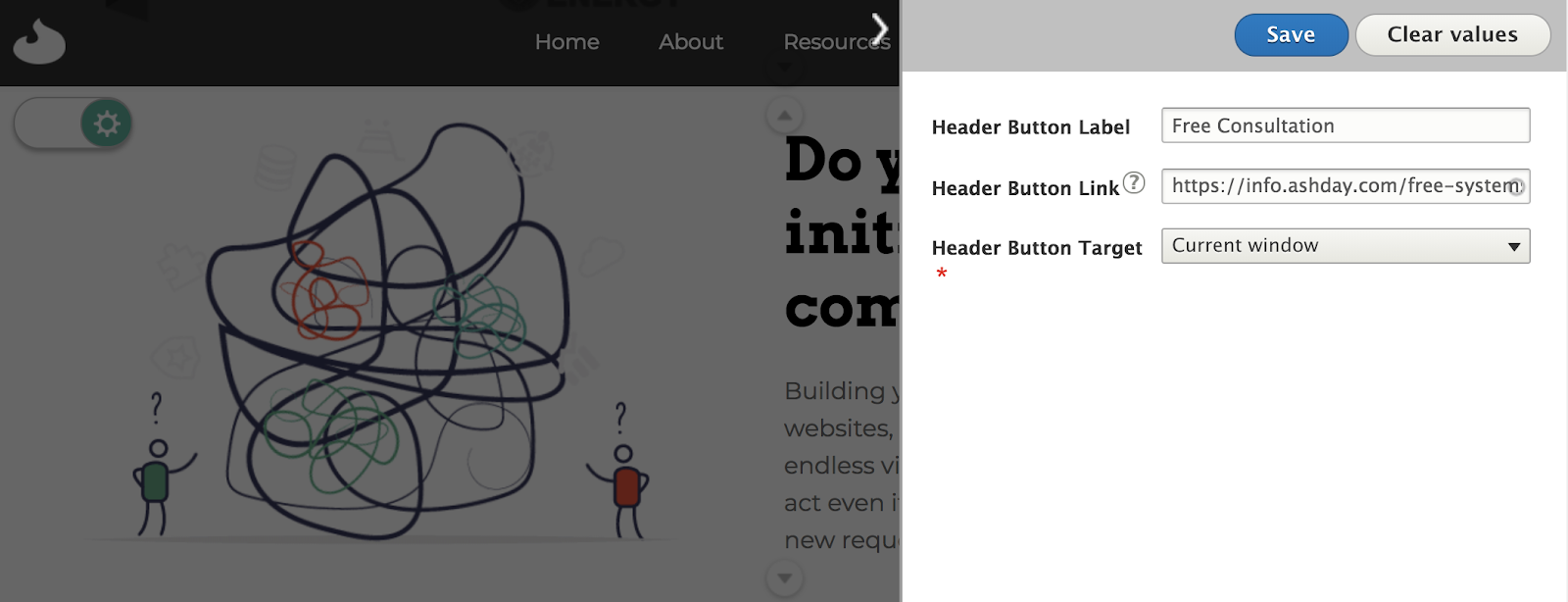
With this simple interface, a content editor can quickly change the settings in that React component and they are actually using a form provided by the Config Pages module. We simply strip out serving up any header or footer or anything else so that the iframe only loads what we’re interested in, which is the basic form. Let’s look now at what happens when you click the edit link on a paragraph.
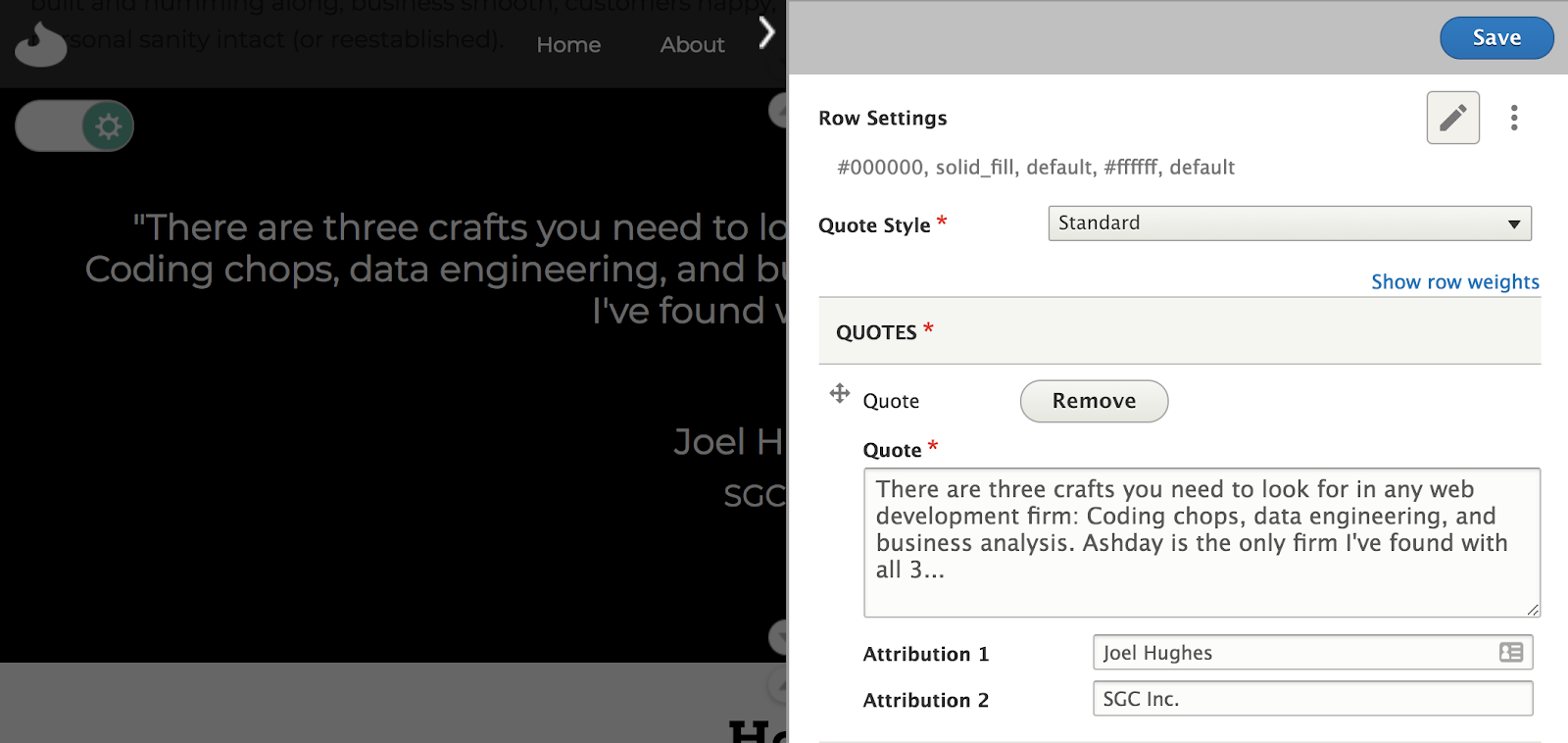
You might notice that the experience is almost identical, except that this is a Drupal paragraph form from a node and the former was a Config Page. Pretty cool. To the user, they don’t need to learn about blocks, views, nodes, etc., to use this. They just need some simple ways to manage their site where their focus is on content, not architecture.
The best part of all this is that this is just the beginning. We can expand this in so many ways. We can create similar mechanisms for editing header links, or contact form settings, or whatever we want. And all while retaining Drupal’s great administrative tools. Great stuff.
Why Drupal was chosen
 We switched heavily over to Drupal at a time when we really felt we could improve our user experience and leverage a lot of really great open source tools to take our work to the next level. Drupal is an ecosystem that proved to offer a lot of easy to use tools right out of the box, and is also immensely extensible and can be altered to do anything you need. When Drupal 8 was released, we jumped right in with the relaunch of our own ashday.com the very week the first stable release came out because we were so excited to use the new configuration tools, the new object-oriented framework, and to get on the new release cycle that means the end of very difficult future upgrades. It’s been a fun ride! You really should consider upgrading to Drupal 8 if you haven’t already.
Even with the desire to move to using React for the front of our website, we knew that we didn't want to lose what we had gained with Drupal 8. We were able to take our site even further with Drupal's unique ability to be very easily extended.
Technical Specifications
Drupal version:
Key modules/theme/distribution used:
We used Drupal core’s REST and REST UI modules for all communication with React because we wanted full control over how our webservices worked and it’s very straightforward to write your own REST webservices. Including the Metatag module as well allows editors to continue to manage metatag data, which our REST services then send along to React along with the content. And as indicated above, we leveraged Paragraphs and Config Pages because they both offer a relatively easy to setup administration experience that we can leverage for various site management needs.