Top area
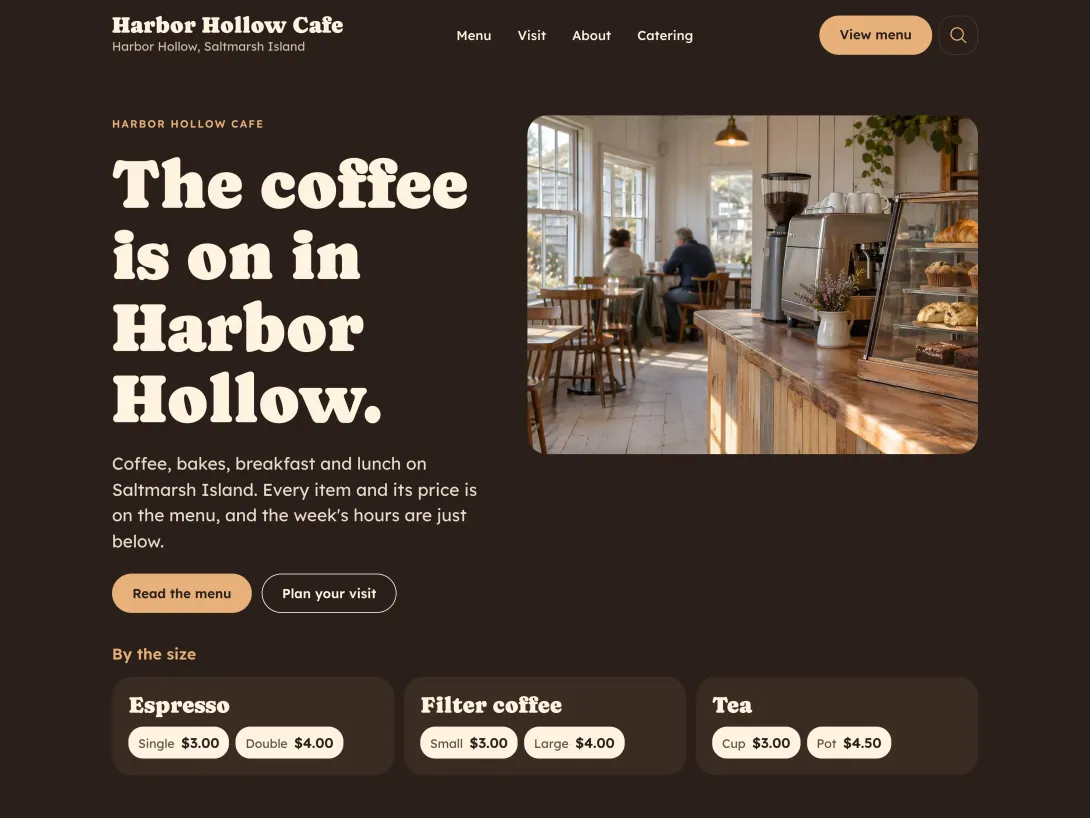
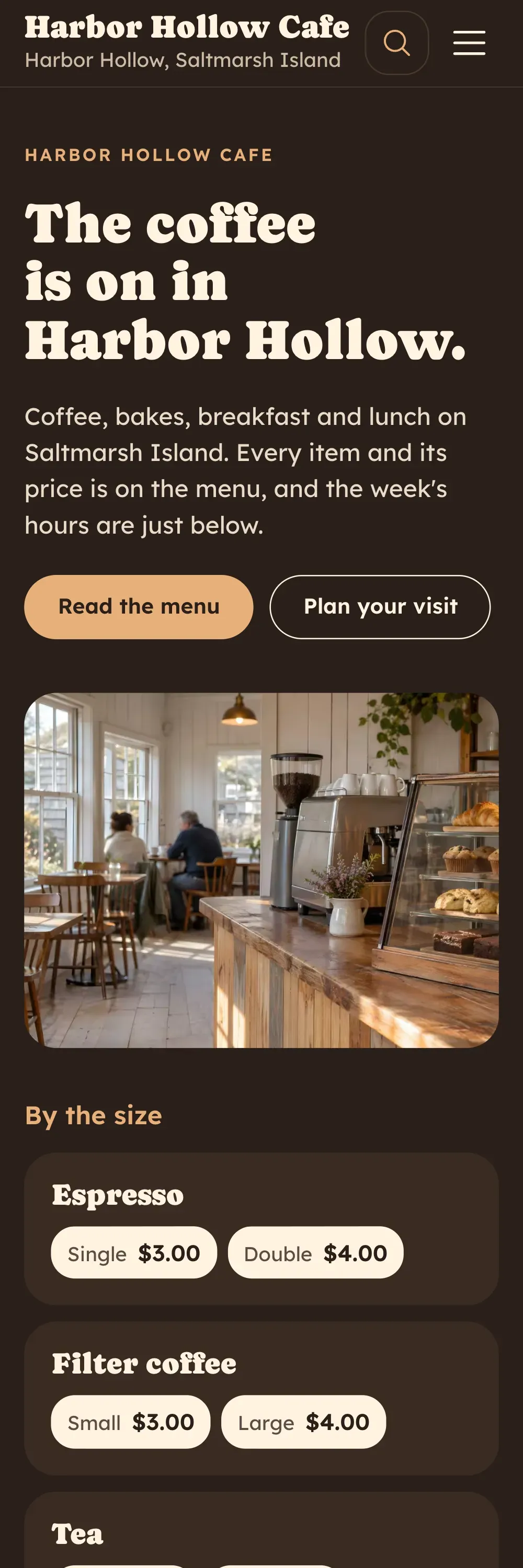
composer require drupal/cafeLet visitors check your menu, find today’s hours, and plan a visit from their phone. Cafe brings the information people need into a website your team can maintain.
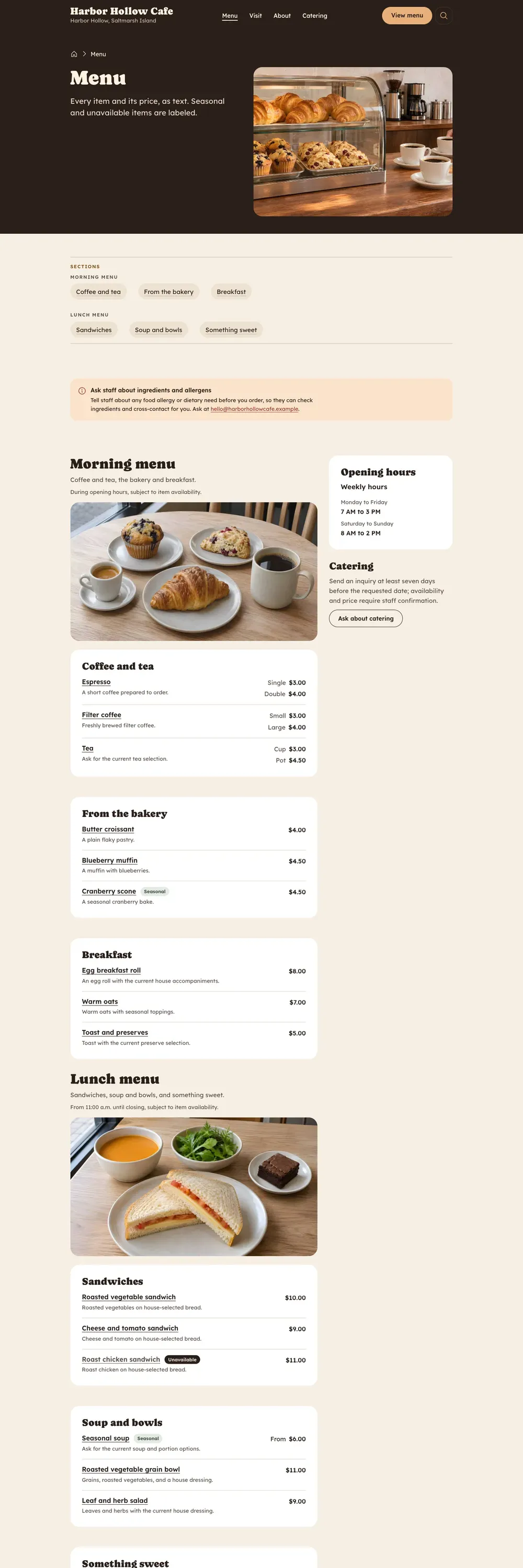
Menus display as readable text, with sections, individual items, and clearly labeled prices. Edit an item once to update the places that use it. Show seasonal offerings, mark unavailable items, and add options such as a single or double espresso.
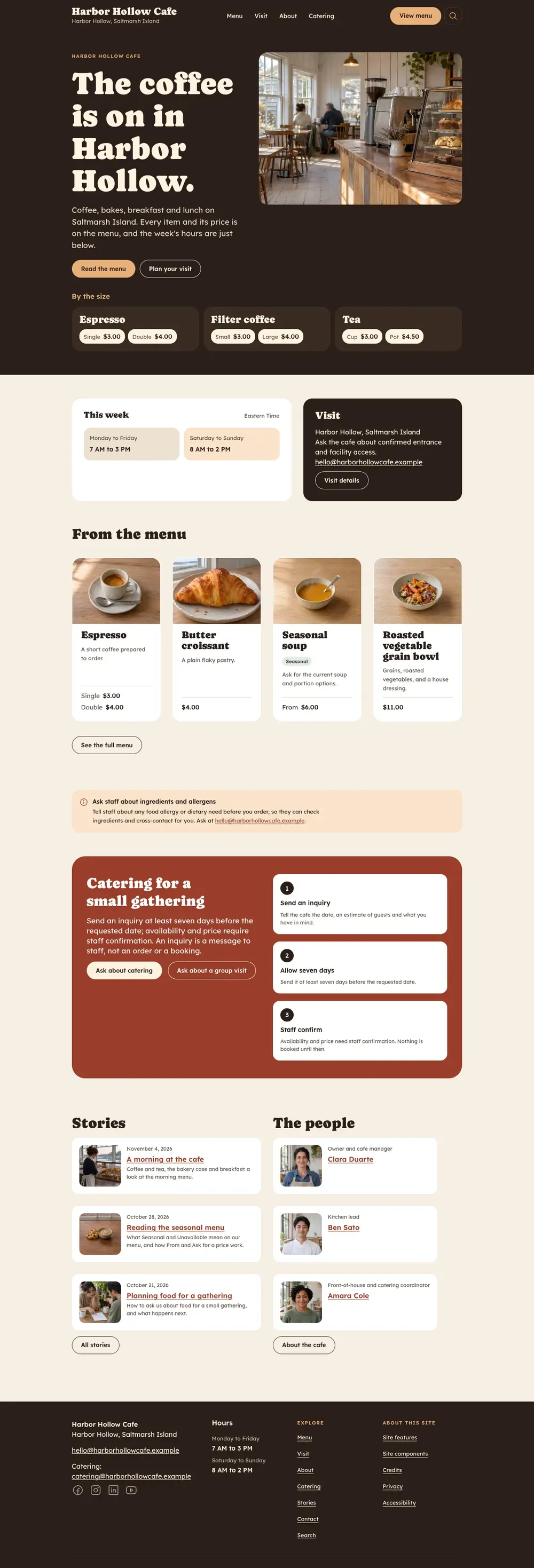
Opening hours come from shared settings, including dated changes for holidays or shorter days. The visit page brings together your location, contact details, and access information.
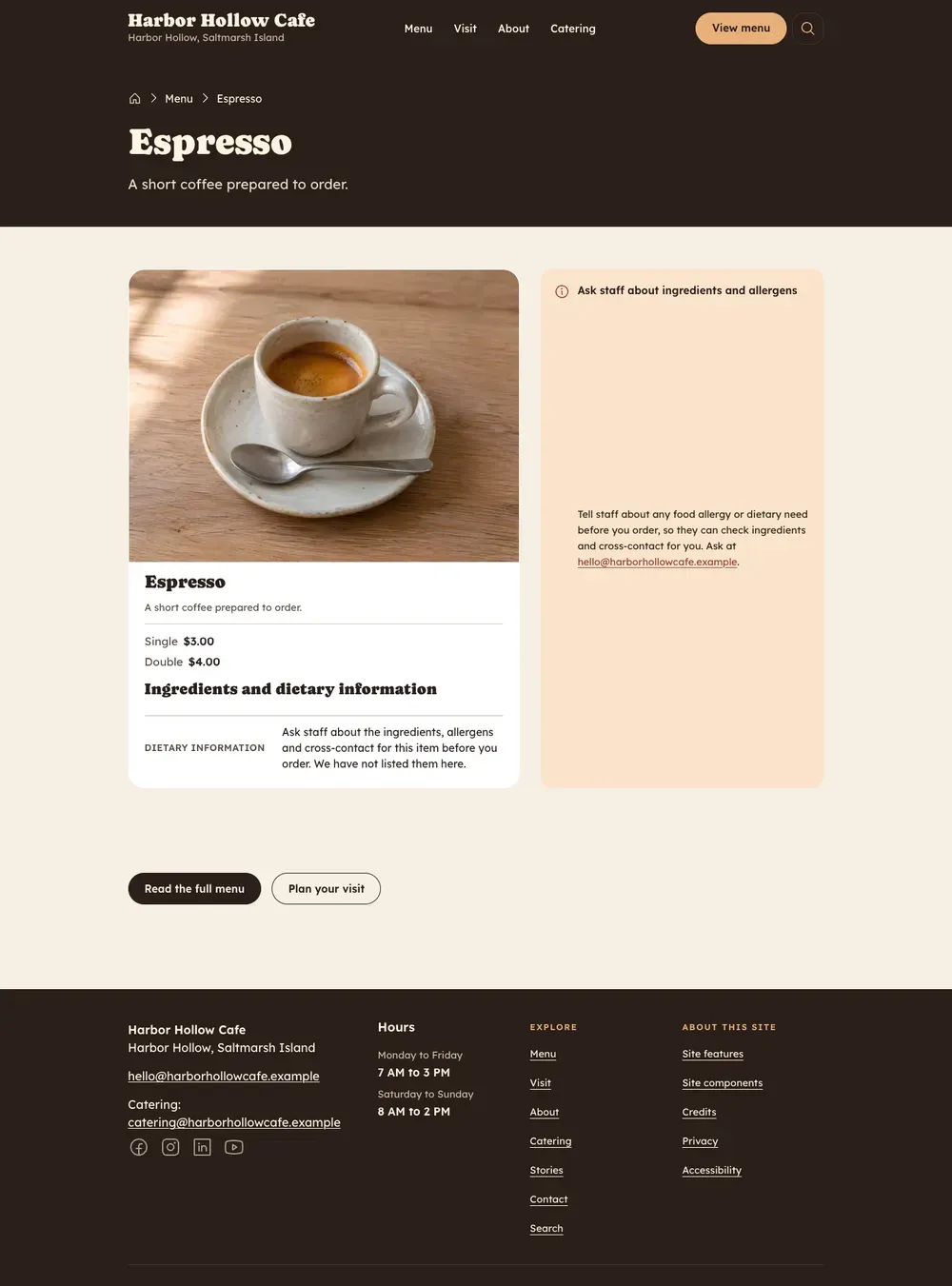
Separate fields help your team maintain ingredient notes, dietary labels, and declared allergens. A notice beside each menu directs visitors to ask about current preparation and cross-contact.
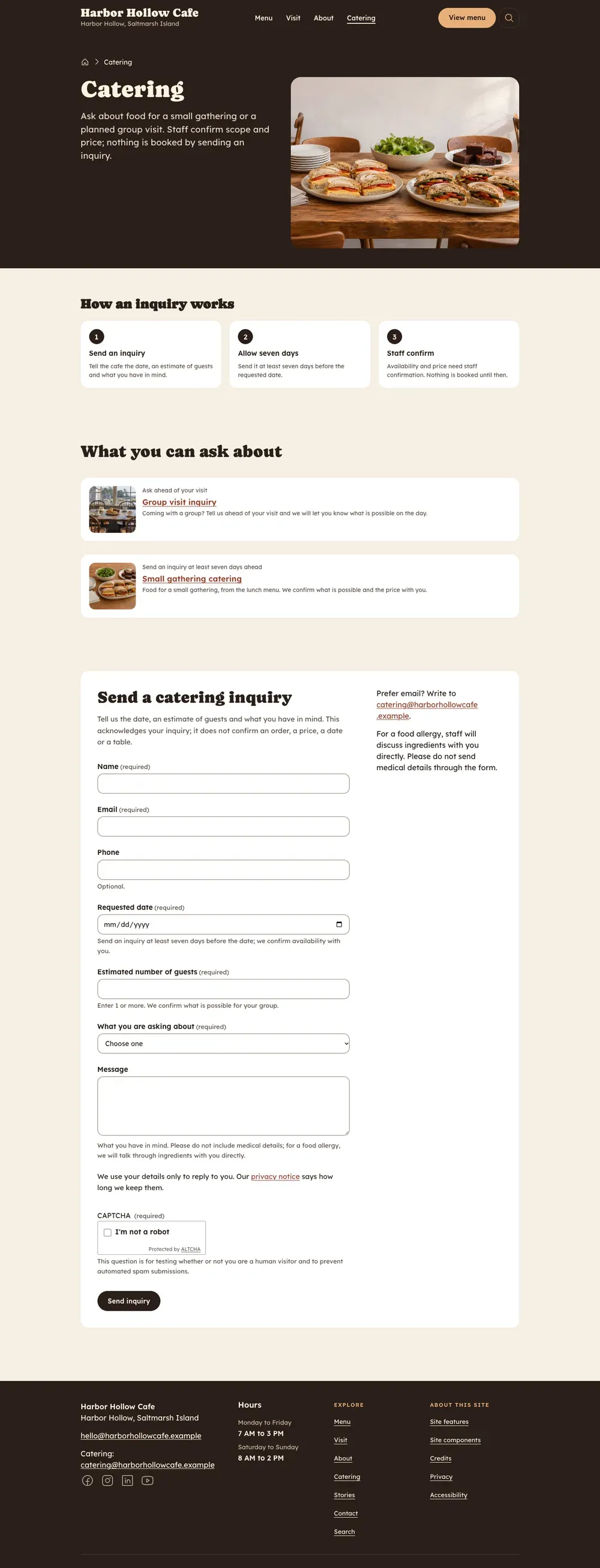
Catering inquiries and contact forms connect visitors with your team. Optional links can send people to your external ordering or reservation service.
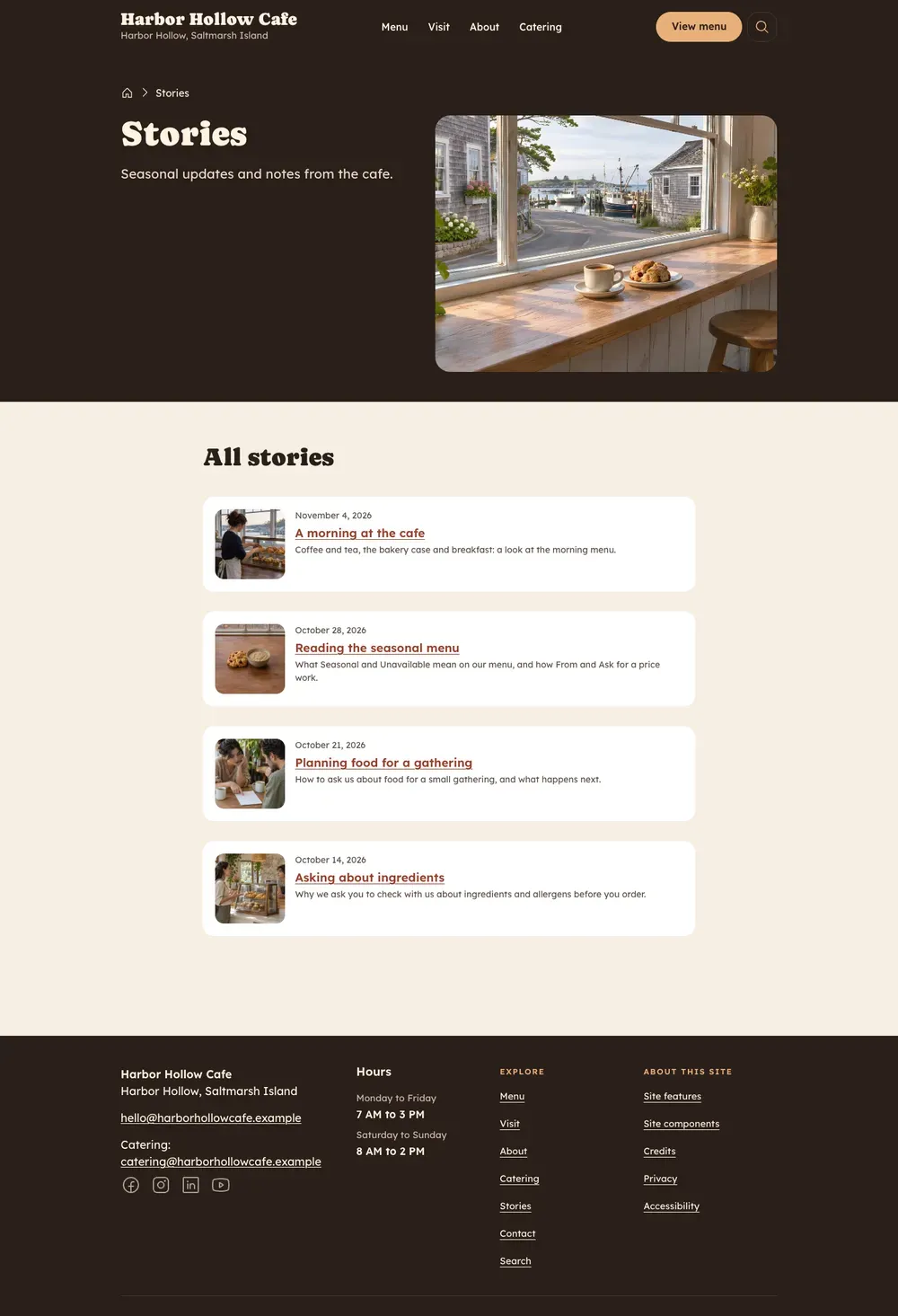
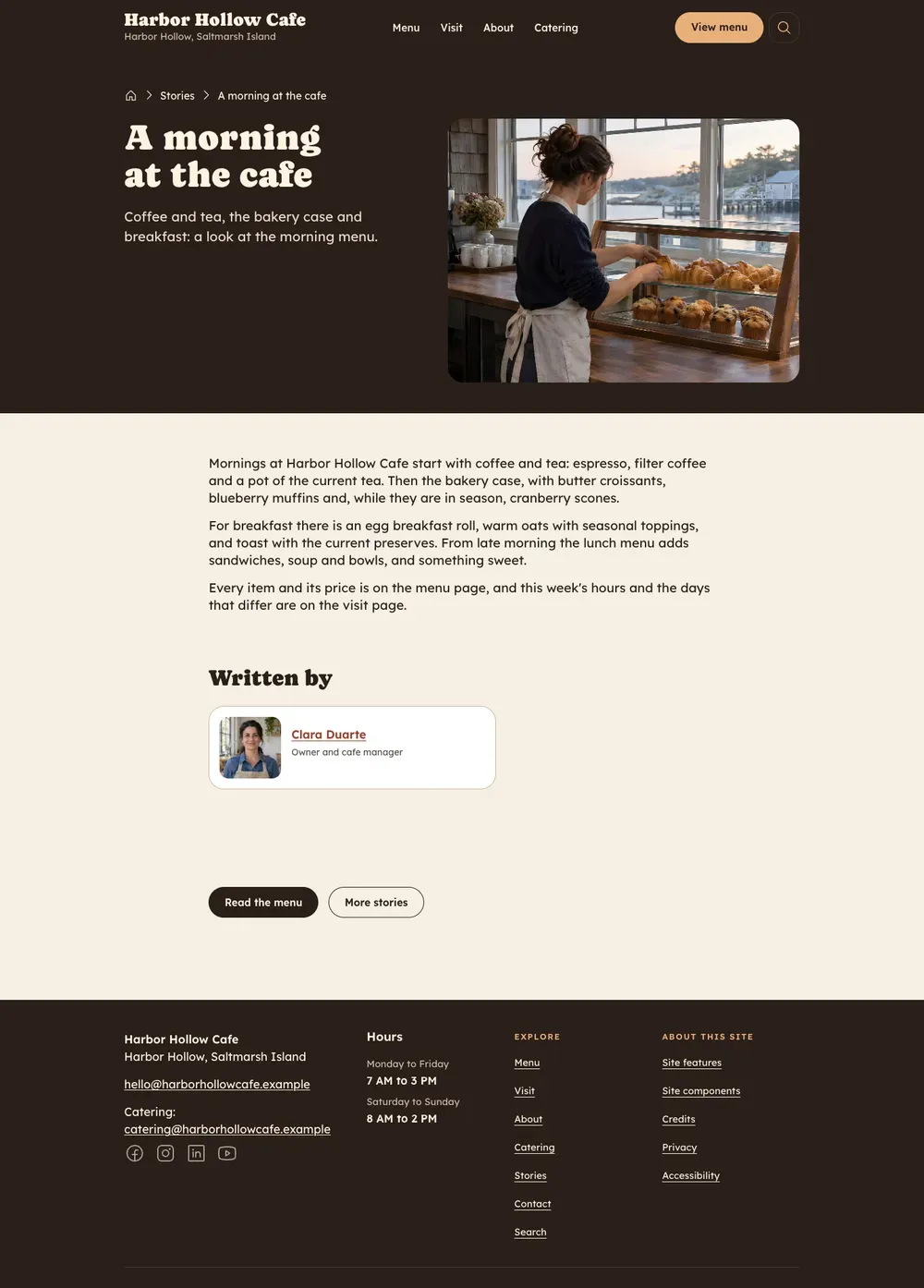
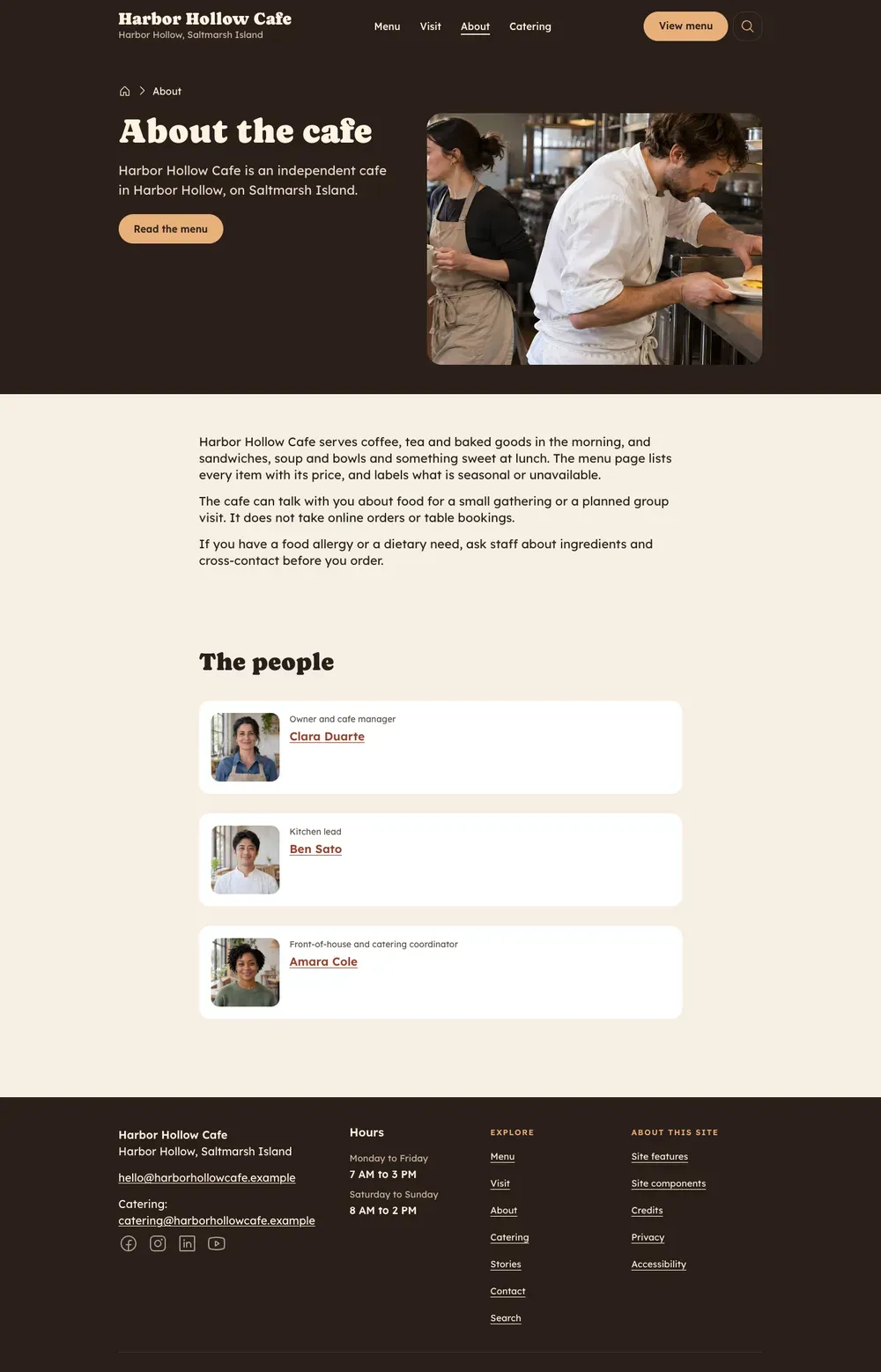
The included Harbor Hollow Cafe demonstration shows how the pages work together. Replace its fictional menus, photographs, and stories with your own, then customize Coffeehouse to match your business.
Site features
- Readable menus: Publish menu items and prices as text, with linked sections and individual item pages.
- Flexible pricing: Display an amount, a starting price, or an invitation to ask. Add labeled options for sizes or variations.
- Availability labels: Identify seasonal and unavailable items. Unavailable items remain on the menu and leave the featured list.
- Shared opening hours: Maintain weekly hours and dated changes in one place for use throughout the site.
- Visit information: Publish contact details, directions, and confirmed access information.
- Dietary information: Manage ingredient notes, dietary labels, declared allergens, and cross-contact guidance separately.
- Catering inquiries: Collect event details, validate the requested date and guest count, and acknowledge receipt.
- External service links: Connect visitors to your ordering or reservation provider through optional HTTPS links.
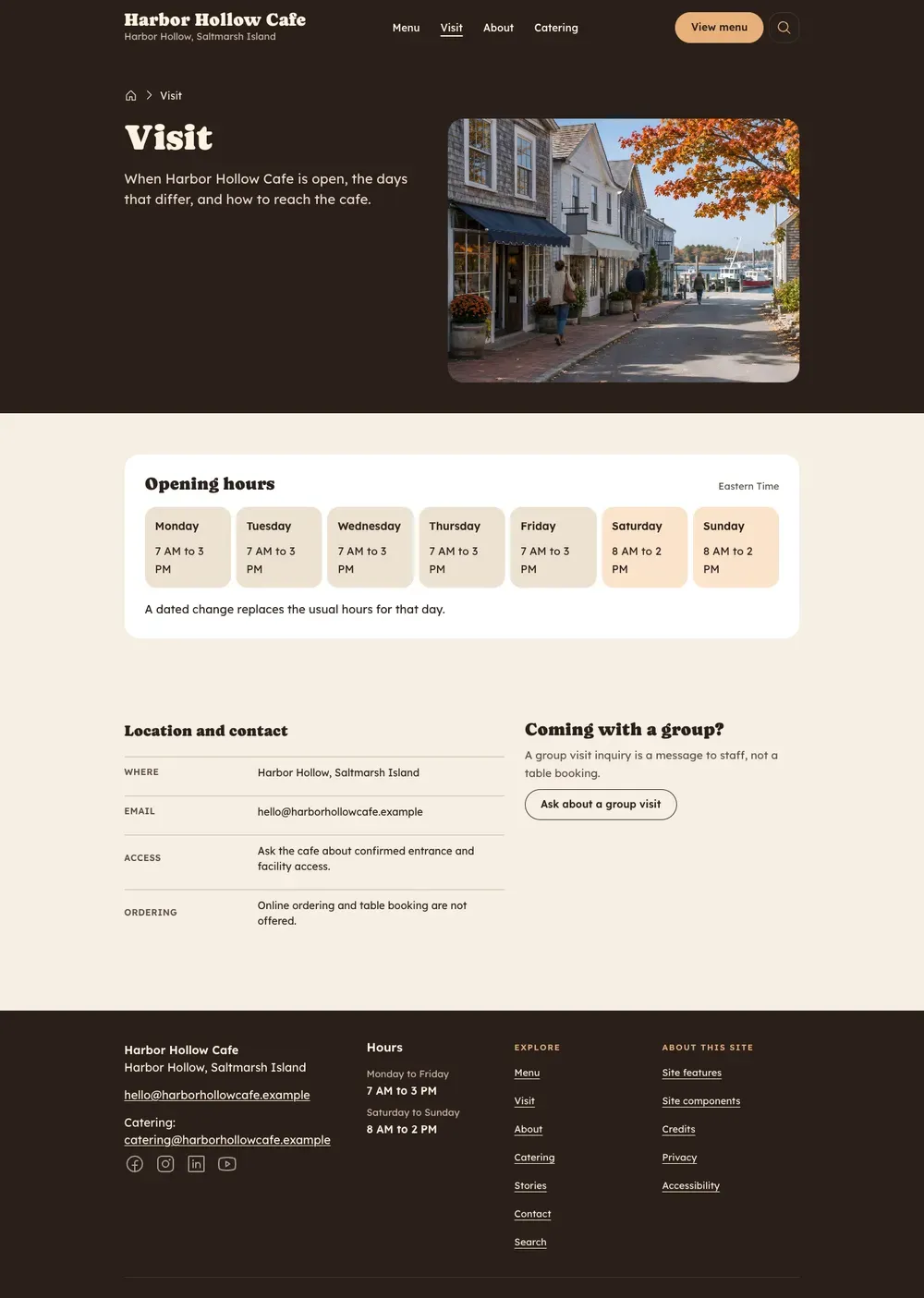
- Stories and people: Share seasonal updates and introduce your team.
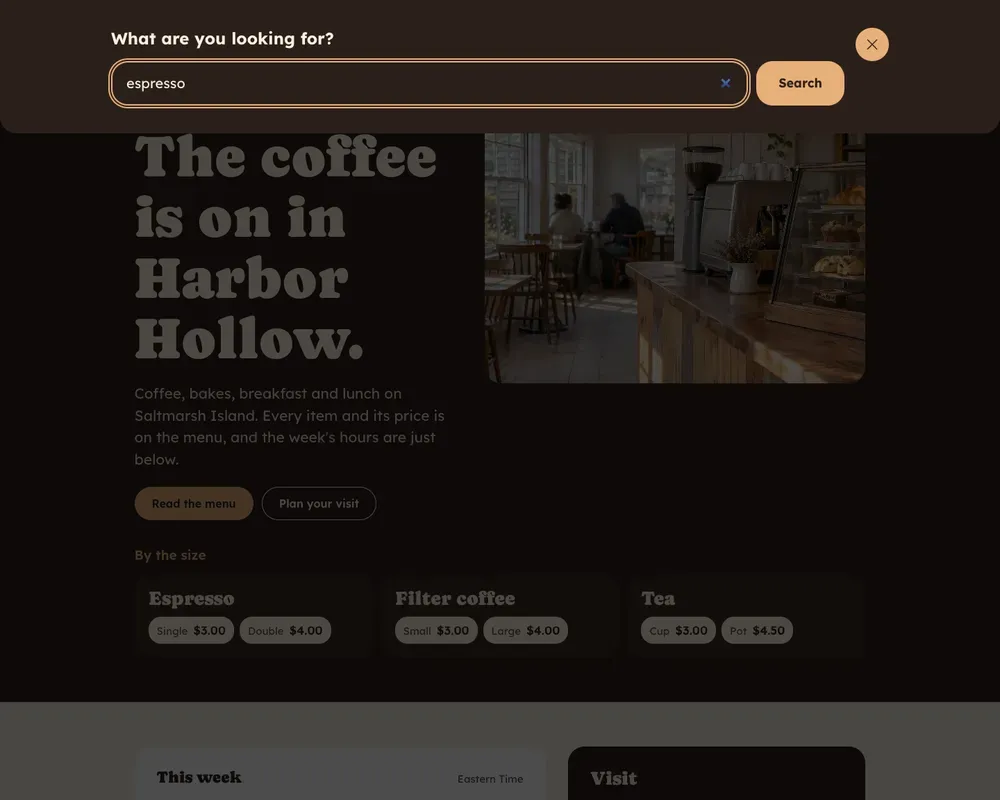
- Site search: Search published menus, items, stories, people, and pages. Items outside active menus stay out of results.
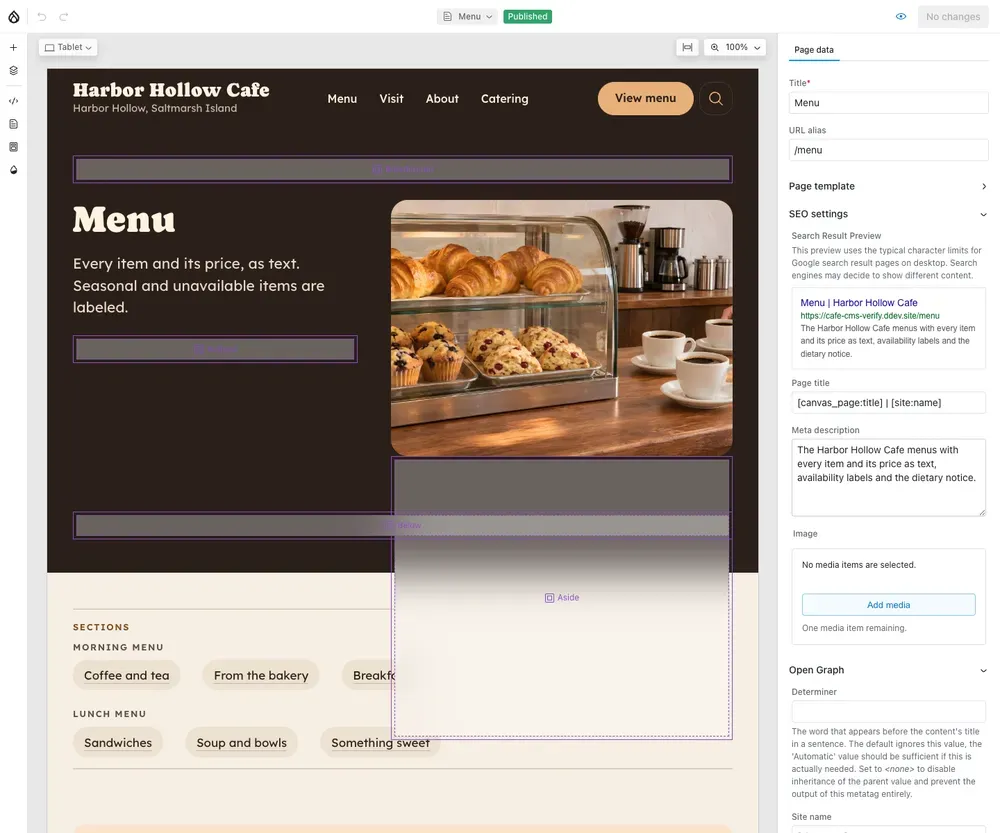
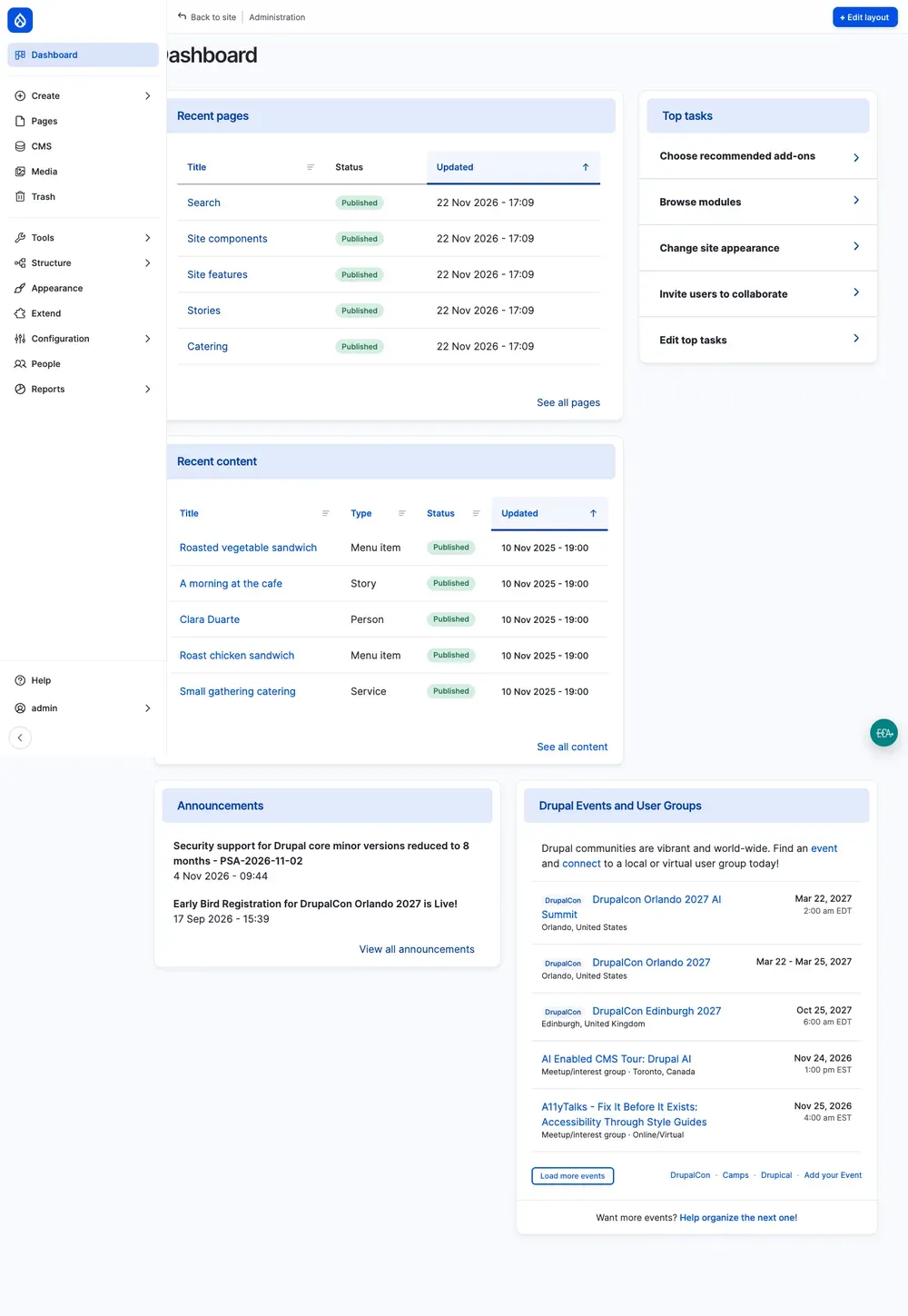
- Visual editing: Arrange pages in Drupal Canvas, edit text, and preview changes.
- Editorial tools: Use draft, review, and published states, scheduled publishing, autosave, and a trash bin.
- Search visibility: Configure metadata, social sharing previews, readable URLs, and an XML sitemap.
- Translation support: Add languages and translate your content and pages.
- Demonstration content: Start with example menus, services, stories, staff profiles, and generated photographs.
Features
Cafe includes tools for managing visitor consent and the information people submit:
- Cookie consent: Klaro provides configurable consent notices for services that require visitor consent.
- Submission retention: Contact and catering forms store submissions in Drupal and are configured to delete those records automatically after 90 days.
- Staff access: Drupal permissions control access to stored inquiries and site administration.
- Optional newsletter choice: The contact form includes a separate, unchecked newsletter checkbox. Visitors can send an inquiry without selecting it.
- Spam protection: Both forms use ALTCHA to help reduce automated submissions.
- Privacy notice: A demonstration privacy page provides a starting point for your business’s policy.
Before launch, review the form fields, retention settings, staff permissions, and email recipients. Email notifications create separate copies of submitted information, so your mailbox retention practices also need review.
Replace the demonstration privacy notice with a policy that reflects your business and any services you connect.
Cafe uses Drupal’s authentication, permissions, and content access systems:
- Role-based access: Content editors manage cafe content, settings, and inquiries through assigned permissions.
- Protected forms: ALTCHA helps reduce automated contact and catering submissions.
- Controlled email recipients: Inquiry notifications use addresses configured by the site owner. Visitors cannot supply the destination address.
- Editorial review: Draft and review states support checking content before publication.
- Content validation: Rules catch common mistakes, including missing required prices and invalid catering dates.
- Composer-managed packages: Drupal core, contributed modules, and Coffeehouse use Composer packages for dependency management and updates.
Site owners should review permissions, configure secure hosting and email delivery, maintain backups, and apply relevant updates. Confirm security advisory coverage for the package versions installed on your site.
Support
Community support
- Report bugs and request improvements through the Cafe issue queue.
- Follow the project documentation for installation, menu editing, business settings, and launch preparation.
- Report theme-specific issues through the Coffeehouse issue queue.
- Contribute documentation, patches, and reproducible bug reports.
Professional support
Kanopi Studios offers paid assistance with installation, branding, content preparation, integrations, editor training, accessibility review, and ongoing maintenance.
Community response times depend on contributor availability and issue complexity. Professional support responsibilities and response times are defined in individual agreements.
FAQ
Is Cafe free?
Yes. Cafe is open source. Hosting, implementation, and optional professional support have their own costs.
Can I use it for a bakery or small restaurant?
Yes. Replace the demonstration menus, business details, images, and wording to suit your business.
Does it include online ordering or table reservations?
Cafe can link to external ordering and reservation services. Checkout, payment processing, and reservation management happen with those providers.
Does a catering inquiry confirm an order?
No. The form acknowledges receipt of an inquiry. Your team confirms the details, availability, and arrangements directly.
Can I update prices and hours myself?
Yes. Editors manage menu items, price options, and opening hours through Drupal’s administration screens.
Can visitors rely on dietary labels alone?
Visitors should contact your team about current ingredients and cross-contact. Missing allergen information is treated as unknown. Your business must review the demonstration information before publishing.
Can I change the design?
Yes. Use Canvas to edit page layouts and Coffeehouse’s theme settings and design tokens to apply your branding.

